

Find Blogs by favorite Tool or Resource
CHOOSE YOUR RABBIT HOLE 🕳️🐇
Artful Agenda

Asana


There are SO many Project Management tools out there that are worth a look, but which one is the right fit for YOU?
I’ve taken the time to break down the ones I’ve used & organize them into feature lists so you can search for what you need and see which apps offer those things.
Now, let’s see which app is the right fit for your productivity needs!
Bonsai



This is my favorite advice to share, really.
As a freelancer myself, I know we're always looking for tools that will do everything we need, all in one place, without shaving off large chunks from our profit margin as we grow and scale our businesses.
So, when I came across a podcast about this free resource where several things could be handled all in one place, for less than $20/mo, my interest was piqued. I did some research and found a few different ways to do this!
Calendly



If you've been following along for the last several months, then you probably already know I use Dubsado for my business. In fact, I'm kind of obsessed with it!
Dubsado has an online scheduler now, but I still haven’t gotten around to setting it up and since it's not ready yet, I’m still using Acuity because it integrates well with Squarespace and it also has a lot of features, like the ability to take a payment when a client makes certain types of appointments.
Acuity has a free plan, but it allows limited customization among other limitations. At first that was fine, but eventually I wanted the features that the paid plans offer.
Canva


Claude / ChatGPT


ClickUp



There are SO many Project Management tools out there that are worth a look, but which one is the right fit for YOU?
I’ve taken the time to break down the ones I’ve used & organize them into feature lists so you can search for what you need and see which apps offer those things.
Now, let’s see which app is the right fit for your productivity needs!

You probably have a vague idea of what type of design services you need, and maybe you even know who you want to work with. But maybe you have no idea how much (if any) work you’ll need to put in or how much it’d cost to hire the help.
That goes for pretty much anything in the service industry, right? But there’s Angie’s List & HomeAdvisor for those kinds of professionals. So where do you go to find out more about design services? (Please don’t say Fiverr or Upwork. 😄)
That being the case, whether you have/haven’t worked with a graphic designer before, I’d be willing to bet you’re not sure what to expect, especially in a remote work or freelance situation.
It can be scary to hand over your trust & money to a stranger you’ve never met in person & don’t know. Right? I totally get that!
Because I know that there are a lot of you out there who have no idea what to expect, I’m gonna share my process since basically it’s industry standard.

We're all SO busy these days! If you're keeping up with the trends then you haveto cook the perfect healthy meal with that new "superfood" ingredient, or complete this particular workout, or go take this particular class, or whatever the latest trend may be.
You may have kids and a full time job on top of it. Maybe you work at home full time, or have a 9 to 5, and then work nights & weekends on your side-hustle (whatever that may be).
No matter the details, there's still every day tasks to do (like cooking, cleaning, yard work, etc.) on top of maintaining a home life and keeping up with tasks at work. There's also the added task of not totally ignoring your SO or your friends and family while you work your little butt off!
So, who doesn't want a few apps that can make life a little easier?
ConvertKit / Kit
Creative Law Shop




Getting started (or even just knowing where to start) with client onboarding can be tricky. I know this, because I've been there! My old process was cumbersome, unorganized and complicated, because I didn't really have one... at all. 🙈
I'd miss steps during client onboarding simply because I didn't have a system, or even worse, maybe I was so excited to get started on the project that I just bypassed all that "stuff."
Luckily for me, I have wonderful clients and no problems ever came up because of my previous lack of onboarding organization. BUT I knew then, as I know now, that wouldn't last. Not that my wonderful clients would suddenly become something other than wonderful. No, no, no.
I'm saying my obvious lack of organization would eventually lead to an error SOMEWHERE, whether that was accidentally missing a client's deadline, or not getting paid on time because I had to manually set up invoices in PayPal and send them (or soooo many other possible scenarios).
As I mentioned (in detail) here, in Why Dubsado is My Favorite App, ...it's my favorite business app! I have many others on the list (I 💚 you too, Trello).
But in case you missed that (HINT: go back & read it too!), Dubsado is FREE to try, with no time limit on your trial; it just caps you at 3 clients before you'll have to upgrade.
SO WHAT THE HECK ARE YOU WAITING FOR???
LET'S GET STARTED!

Holy shit, you guys! When something is this good, you don't keep it to yourself; you share it!
I don't know if I've been living under a rock, or what, but I'd never heard of this company until a few months ago. I'm scratching my head now, trying to figure out what the heck took me so long to move forward!?
CRM


Getting started (or even just knowing where to start) with client onboarding can be tricky. I know this, because I've been there! My old process was cumbersome, unorganized and complicated, because I didn't really have one... at all. 🙈
I'd miss steps during client onboarding simply because I didn't have a system, or even worse, maybe I was so excited to get started on the project that I just bypassed all that "stuff."
Luckily for me, I have wonderful clients and no problems ever came up because of my previous lack of onboarding organization. BUT I knew then, as I know now, that wouldn't last. Not that my wonderful clients would suddenly become something other than wonderful. No, no, no.
I'm saying my obvious lack of organization would eventually lead to an error SOMEWHERE, whether that was accidentally missing a client's deadline, or not getting paid on time because I had to manually set up invoices in PayPal and send them (or soooo many other possible scenarios).
As I mentioned (in detail) here, in Why Dubsado is My Favorite App, ...it's my favorite business app! I have many others on the list (I 💚 you too, Trello).
But in case you missed that (HINT: go back & read it too!), Dubsado is FREE to try, with no time limit on your trial; it just caps you at 3 clients before you'll have to upgrade.
SO WHAT THE HECK ARE YOU WAITING FOR???
LET'S GET STARTED!
Holy shit, you guys! When something is this good, you don't keep it to yourself; you share it!
I don't know if I've been living under a rock, or what, but I'd never heard of this company until a few months ago. I'm scratching my head now, trying to figure out what the heck took me so long to move forward!?
This is my favorite advice to share, really.
As a freelancer myself, I know we're always looking for tools that will do everything we need, all in one place, without shaving off large chunks from our profit margin as we grow and scale our businesses.
So, when I came across a podcast about this free resource where several things could be handled all in one place, for less than $20/mo, my interest was piqued. I did some research and found a few different ways to do this!
Custom CSS





Let me preface this post by saying, I’m not a web-developer and I can’t custom code your site from the ground up. In fact, I’d really prefer not to ever learn that exact skillset, myself. My interest is in the design & visuals of the site, not the backend.
I use Squarespace for myself & for my clients because it allows me to focus on the design & leave the backend coding, site security and more to the Squarespace gurus.
My clients love being able to edit their site themselves as needed; a fabulous bonus for small businesses who don’t want to have a whole team dedicated to building & maintaining their online company-home.
That being said, I still use some coding to tweak the sites I build and today I’m sharing with you how to get these 6 game-changing CSS tweaks for your site.
Dubsado



Today I want to help set ya straight on payment processing fees.
I know, I know. It’s not a sexy topic. But hear me out!
I see and read and hear complaints about this all the time. So let’s walk through it in a way that makes sense.
You’ll learn why there are fees, what a standard fee looks like & where they’ll hide, how to work with them, who I trust (& who I don’t), and what you can/can’t do to work around them in your business.


As a business newb (or even a business pro), you’ve probably heard other entrepreneurs tossing around phrases like “client management” or acronyms like “CRM” or “PM” and you might not have any idea what they mean.
Maybe you bought something like Dubsado or Honeybook and now you’re confused because you don’t understand why people are also using a PM/Project Management tool –and how do they integrate? Why do you need both?

If you’re new to the entrepreneurial world, then you might be kiiiiinda sorta flyin’ by the seat of your pants. Yeah?
You never went to business or marketing or even design school, so you’re probably a little overwhelmed with your business.
I totally get it. When I first started, I had about 10 years of print design experience and some light freelancing experience under my belt, plus my college design education, which in no way prepared me to run a business of any magnitude. Back then freelancing just meant we agreed (verbally or written in an email) on a price, I did the work and they sent me a check. No written invoice, no contract. YIKES.
Don’t be that person! Let’s get you started with a few apps I wish I’d been using right out of the gate.
You probably have a vague idea of what type of design services you need, and maybe you even know who you want to work with. But maybe you have no idea how much (if any) work you’ll need to put in or how much it’d cost to hire the help.
That goes for pretty much anything in the service industry, right? But there’s Angie’s List & HomeAdvisor for those kinds of professionals. So where do you go to find out more about design services? (Please don’t say Fiverr or Upwork. 😄)
That being the case, whether you have/haven’t worked with a graphic designer before, I’d be willing to bet you’re not sure what to expect, especially in a remote work or freelance situation.
It can be scary to hand over your trust & money to a stranger you’ve never met in person & don’t know. Right? I totally get that!
Because I know that there are a lot of you out there who have no idea what to expect, I’m gonna share my process since basically it’s industry standard.
Getting started (or even just knowing where to start) with client onboarding can be tricky. I know this, because I've been there! My old process was cumbersome, unorganized and complicated, because I didn't really have one... at all. 🙈
I'd miss steps during client onboarding simply because I didn't have a system, or even worse, maybe I was so excited to get started on the project that I just bypassed all that "stuff."
Luckily for me, I have wonderful clients and no problems ever came up because of my previous lack of onboarding organization. BUT I knew then, as I know now, that wouldn't last. Not that my wonderful clients would suddenly become something other than wonderful. No, no, no.
I'm saying my obvious lack of organization would eventually lead to an error SOMEWHERE, whether that was accidentally missing a client's deadline, or not getting paid on time because I had to manually set up invoices in PayPal and send them (or soooo many other possible scenarios).
As I mentioned (in detail) here, in Why Dubsado is My Favorite App, ...it's my favorite business app! I have many others on the list (I 💚 you too, Trello).
But in case you missed that (HINT: go back & read it too!), Dubsado is FREE to try, with no time limit on your trial; it just caps you at 3 clients before you'll have to upgrade.
SO WHAT THE HECK ARE YOU WAITING FOR???
LET'S GET STARTED!
Holy shit, you guys! When something is this good, you don't keep it to yourself; you share it!
I don't know if I've been living under a rock, or what, but I'd never heard of this company until a few months ago. I'm scratching my head now, trying to figure out what the heck took me so long to move forward!?
This is my favorite advice to share, really.
As a freelancer myself, I know we're always looking for tools that will do everything we need, all in one place, without shaving off large chunks from our profit margin as we grow and scale our businesses.
So, when I came across a podcast about this free resource where several things could be handled all in one place, for less than $20/mo, my interest was piqued. I did some research and found a few different ways to do this!
We're all SO busy these days! If you're keeping up with the trends then you haveto cook the perfect healthy meal with that new "superfood" ingredient, or complete this particular workout, or go take this particular class, or whatever the latest trend may be.
You may have kids and a full time job on top of it. Maybe you work at home full time, or have a 9 to 5, and then work nights & weekends on your side-hustle (whatever that may be).
No matter the details, there's still every day tasks to do (like cooking, cleaning, yard work, etc.) on top of maintaining a home life and keeping up with tasks at work. There's also the added task of not totally ignoring your SO or your friends and family while you work your little butt off!
So, who doesn't want a few apps that can make life a little easier?
Elfsight

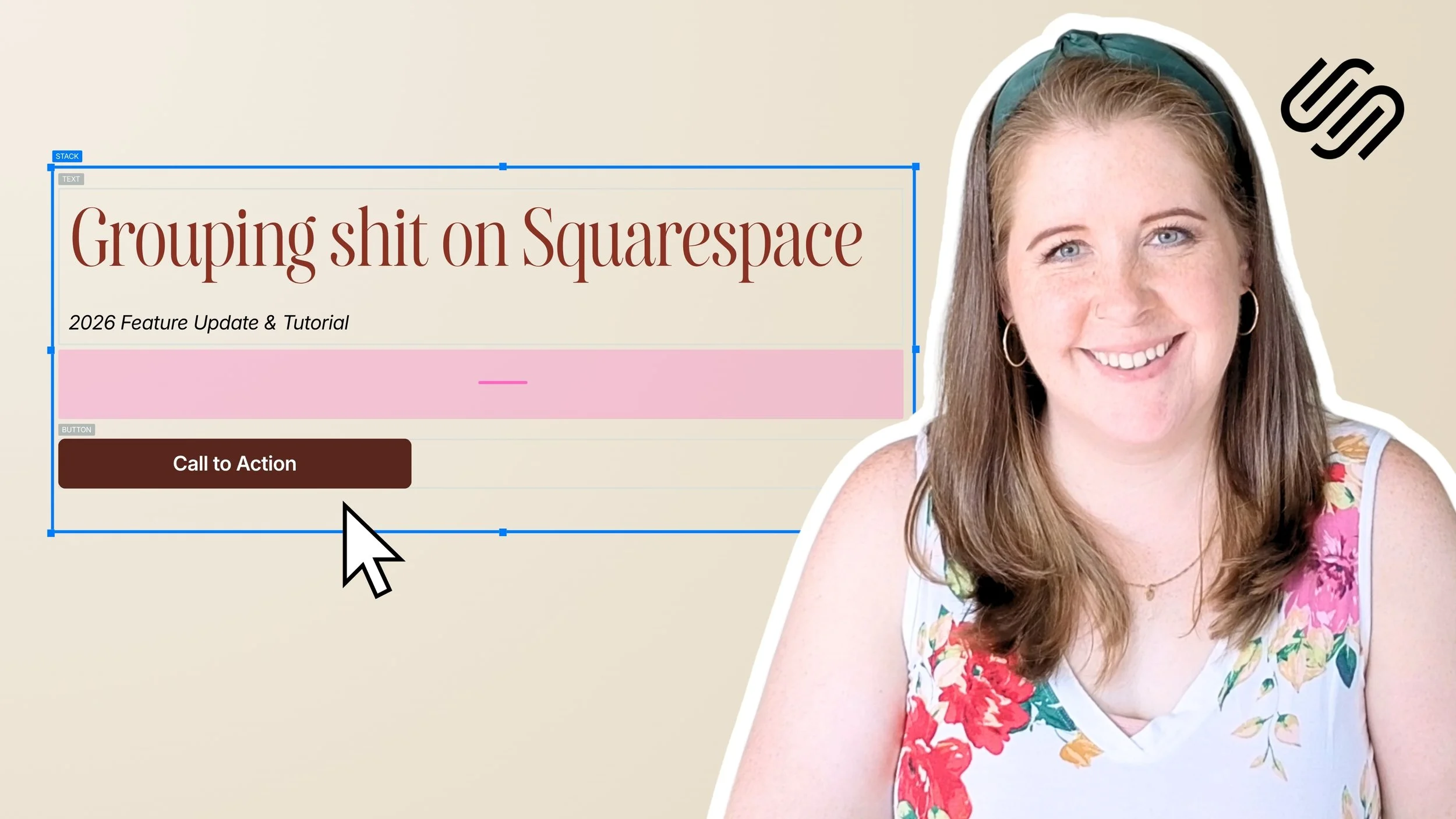
If you’ve been at this Squarespace thing long enough to feel pretty comfortable using the platform, then you might be at the point where you want to be able to do some things a little different than the template allows.
Or, maybe you’re just a “think outside the bun” kinda girl and you want to jazz it up a bit. Get it further away from the template than you otherwise could if you knew some code.
Yeah, me too. Been there, done that & I’m not a developer; I’m a designer.
And if you’re here reading this, I’m guessing you are too.
Plugins (mostly CSS) will be your new best friend, just don’t use too many at one time… it can become confusing.
I’m sharing my trusted resources for these here, so keep reading!


FloDesk
Fluid Engine







Honeybook
This is my favorite advice to share, really.
As a freelancer myself, I know we're always looking for tools that will do everything we need, all in one place, without shaving off large chunks from our profit margin as we grow and scale our businesses.
So, when I came across a podcast about this free resource where several things could be handled all in one place, for less than $20/mo, my interest was piqued. I did some research and found a few different ways to do this!
Logo Package Express

I’m SO effin’ excited to talk about these resources today! You just don’t even know. 😂
One does all the logo exporting FOR you, in #alltheformats, saving a shitload of time.
Another makes it super simple to video chat with customers, –no more downloads for them to join the call!
The last one is maaaaybe, my favorite: a genius way to share our work with the client, stay sane, stick to the rules & still be organized.
Can I get a hell to the yeah, ladies?! Ok. I can’t wait anymore. Let’s dive in!
MailerLite



Markup.io (& Pastel, Workflow, Webvizio)

Notion


Let me preface this post by saying, I’m not a web-developer and I can’t custom code your site from the ground up. In fact, I’d really prefer not to ever learn that exact skillset, myself. My interest is in the design & visuals of the site, not the backend.
I use Squarespace for myself & for my clients because it allows me to focus on the design & leave the backend coding, site security and more to the Squarespace gurus.
My clients love being able to edit their site themselves as needed; a fabulous bonus for small businesses who don’t want to have a whole team dedicated to building & maintaining their online company-home.
That being said, I still use some coding to tweak the sites I build and today I’m sharing with you how to get these 6 game-changing CSS tweaks for your site.
Novo

Quickbooks Online
Playbook

Plugins
SEOSpace


I totally get it. Most people don’t want to blog, don’t know how to “write” posts or don’t have a friggin’ clue what to write about.
Well, I’m afraid if you want to have any kind of online presence, you need to get over it. #sorrynotsorry
Keep reading, because I’m about to tell you everything I know about why blogging helps with your website SEO, from my own personal experience.
(HINT: blogging is a “thing” for a reason, and more than just so everyone has a place on the internet to voice their innermost thoughts. 😉)
Showit


Spark (email app)
We're all SO busy these days! If you're keeping up with the trends then you haveto cook the perfect healthy meal with that new "superfood" ingredient, or complete this particular workout, or go take this particular class, or whatever the latest trend may be.
You may have kids and a full time job on top of it. Maybe you work at home full time, or have a 9 to 5, and then work nights & weekends on your side-hustle (whatever that may be).
No matter the details, there's still every day tasks to do (like cooking, cleaning, yard work, etc.) on top of maintaining a home life and keeping up with tasks at work. There's also the added task of not totally ignoring your SO or your friends and family while you work your little butt off!
So, who doesn't want a few apps that can make life a little easier?
SquareKicker

If you’ve been at this Squarespace thing long enough to feel pretty comfortable using the platform, then you might be at the point where you want to be able to do some things a little different than the template allows.
Or, maybe you’re just a “think outside the bun” kinda girl and you want to jazz it up a bit. Get it further away from the template than you otherwise could if you knew some code.
Yeah, me too. Been there, done that & I’m not a developer; I’m a designer.
And if you’re here reading this, I’m guessing you are too.
Plugins (mostly CSS) will be your new best friend, just don’t use too many at one time… it can become confusing.
I’m sharing my trusted resources for these here, so keep reading!


SquareWebsites
If you’ve been at this Squarespace thing long enough to feel pretty comfortable using the platform, then you might be at the point where you want to be able to do some things a little different than the template allows.
Or, maybe you’re just a “think outside the bun” kinda girl and you want to jazz it up a bit. Get it further away from the template than you otherwise could if you knew some code.
Yeah, me too. Been there, done that & I’m not a developer; I’m a designer.
And if you’re here reading this, I’m guessing you are too.
Plugins (mostly CSS) will be your new best friend, just don’t use too many at one time… it can become confusing.
I’m sharing my trusted resources for these here, so keep reading!



Termageddon


ThriveCart

Trello


All kinds of people are being forced to work from home now. Many of us LOVE this and are dreading going back to the grind once the pandemic slows & eventually things go back to normal.
But I also know some people weren’t prepared for this, mentally or otherwise. And that can be scary!
If you’re not a self-motivated person, or your an extreme extrovert, working from home will be hard for you.
If you’re an introvert, like myself, and even if you’re organized, it can still be hard if you don’t know how to prioritize, communicate with your coworkers or keep your workload organized.
After all, who wants a ton of phone calls, texts and emails throughout the day while you work?
Not me! ✋🏻
Following the previous post about how to stay productive when working from home, I’m sharing a list of 13 apps that should help ya stay on task and continue to be productive, even in a brand new work environment.
Let’s dive in!

The world’s flipped upside down during this global pandemic, and I know a LOT of people are suddenly working from home.
Maybe you’re asking yourself questions like:
How do I do this? My dog/kids/significant other keep interrupting me; how do I stay productive? What apps could make this easier? Are they free or paid? Do they work on my Mac/PC? How do I stay organized? What if I need to ask a coworker a question; do I have to email them & wait? Surely I don’t have to use my personal cell phone to communicate via text or phone call. HALP.
I get it. I was in your shoes once, many moons ago.
About 10 years ago, I was working in an office in Georgia (US) while my my then-fiance went out west to attend college in the mountains of Wyoming (US). He came home for summer break and proposed! About a year or so later we decided we didn’t want to wait the additional two years that I had remaining to graduate, so we bumped up the wedding and I decided I’d move out to Wyoming with him and finish college there.
That meant I was “quitting” my job, but when I told my boss that I was moving, just for shits and giggles, I gave him the option of keeping me around as a remote employee. I had no idea if they’d go for it, but since they seemed to like me a lot and I’d already been there over a year at that point, I was completely trained on everything. Plus, as a design student I already had the Mac & design software I needed to do the work at home anyway (because I hated being in the lab to work on homework 😆).
They went for it! So after we got there, got our internet hooked up and all that fun stuff, I began working from home. It was kind of a culture shock for me, never having worked at home before, but the office I’d been in only had 2-3 people in our small branch, so after I got used to a routine it really didn’t feel all that different. The General Manager was an old, friendly Grandpa type, near retirement; he and I had always gotten along really well.
I ended up just signing into the iChat or whatever it was called at the time & video chatted with him while I worked, for a few hours a day. It helped me feel less like I was the only human being in the world during the workday, –because even introverts can feel that way, eventually– and it let me ask him questions as I needed to without phoning in.
BUT there’s a better way!
Since I started doing freelance work, I’ve tried a TON of apps, soooo many different processes and found what works for me. Not only with my own long distance clients, but also implemented some of what I was learning at my 9-5!
These are my top tips for staying productive while you work from home.
There are SO many Project Management tools out there that are worth a look, but which one is the right fit for YOU?
I’ve taken the time to break down the ones I’ve used & organize them into feature lists so you can search for what you need and see which apps offer those things.
Now, let’s see which app is the right fit for your productivity needs!
As a business newb (or even a business pro), you’ve probably heard other entrepreneurs tossing around phrases like “client management” or acronyms like “CRM” or “PM” and you might not have any idea what they mean.
Maybe you bought something like Dubsado or Honeybook and now you’re confused because you don’t understand why people are also using a PM/Project Management tool –and how do they integrate? Why do you need both?
If you’re new to the entrepreneurial world, then you might be kiiiiinda sorta flyin’ by the seat of your pants. Yeah?
You never went to business or marketing or even design school, so you’re probably a little overwhelmed with your business.
I totally get it. When I first started, I had about 10 years of print design experience and some light freelancing experience under my belt, plus my college design education, which in no way prepared me to run a business of any magnitude. Back then freelancing just meant we agreed (verbally or written in an email) on a price, I did the work and they sent me a check. No written invoice, no contract. YIKES.
Don’t be that person! Let’s get you started with a few apps I wish I’d been using right out of the gate.

I’m a Mac user and will likely be one for the foreseeable future. Their interface makes more sense to my creative brain; the clean lines & simplicity just mesh better with me all around. Plus I “grew up” with it being the standard machine used for the design industry, which is also what my formal education is based on.
That being said, I have the choice of using Safari, Firefox, Opera or Chrome, and I’m sure there are some others I don’t know exist, but I choose to use Chrome because of all the available extensions! Let’s dive into that list now!

Entrepreneurs wear so many different hats, it can be utterly exhausting; even if the work itself is still rewarding. Okay, that was the bad news.
The good news is that today I'm sharing 5 habits that will help you work more efficiently and be more productive with your time.

The first organization tool I ever heard about was Asana, and while I like what Asana can do, the way it worked just didn't mesh with how my brain functions. And as we all know, if we don't like how something works then we're probably not going to use it.
I wanted a more visual way to organize things. Then I was introduced to Trello, but I wasn't really sure what to do with it, or how I could use it. I set it aside to come back to later, and for months I completely forgot it existed.
Then finally, I ran across a mention of it in Think Creative Collective's Facebook group, or maybe it was their blurb about their online course for Trello during their podcast. No, I'm not an affiliate, but that super cheap course was worth. every. penny (& probably more).
Once I dug in, I found all sorts of fun ways to use Trello both for business & for home, so today I'm sharing 7 ways you can use Trello too!

A few years ago my old laptop was running a little slower than I wanted, so I backed up everything onto an external hard drive, uninstalled & removed all my software, and wiped my computer. Started over, fresh.
It was a lot of work, but that made things so much better. I reinstalled the operating system, put most of my files and software back onto my computer, and I was ready to move on.
I opened my internet browser and realized I had never backed up my bookmarks!! Who would remember to do that? I hope you would, but for whatever reason, I didn't even think about it, even though I tediously went through the entire contents of my laptop to make sure I had everything else, including old emails.
I had a few years worth of bookmarks saved, before I wiped my computer. I frantically logged into my Firefox account, and then Chrome... but they weren't there. I hadn't turned on the native backup so they'd be stored in my account. CRAP.
Months later, after building up important bookmarks again (and this time they are backed up) that major loss of info from before led me to also put my bookmarks in a new location. One that I can access anywhere, any time, from any device.
That's why I chose to use Trello to save my browser bookmarks.
PLUS: grab a copy of my Bookmarks Trello Board, and add it to your own Trello account! Includes all the lists, cards, links, and more!

I was an absolute mess! I had physical AND digital sticky notes, notes on legal pads and in notebooks. Notes in documents on my computer and in the cloud, notes in Google Drive and in Dropbox. Plus I love stationery, but rarely end up using it, so I have a couple planners where I intended to put notes but never actually did... that...
I thought I was organized, until I realized I wasn't.
🙌🏻 Then I found Trello. 🙌🏻
(it really deserves a standing ovation!)
Now before you say, "ugh... not another paid app to download." Nope!
This is FREE!
As in: you-can-use-99%-of-what-they-have-available-without-ever-having-to-upgrade. Yeah, that kind of free.
Never heard of Trello before? It's okay, I hadn't either! I'd heard of Asana, and I tried it but, ...I didn't really like it so I never actually used it = ineffective.
You can use Trello to plan for pretty much anything going on in your life, whether that's for home or business related tasks. You can view those tasks in both a visual list view and in a calendar mode, so you can see which tasks in your board overlap with each other. You can also attach stuff, comment, tag and the whole system is drag-and-drop friendly too.
Does any of that sound good??? Awesome. Then you better keep on reading, because Trello could change your life! 😉
We're all SO busy these days! If you're keeping up with the trends then you haveto cook the perfect healthy meal with that new "superfood" ingredient, or complete this particular workout, or go take this particular class, or whatever the latest trend may be.
You may have kids and a full time job on top of it. Maybe you work at home full time, or have a 9 to 5, and then work nights & weekends on your side-hustle (whatever that may be).
No matter the details, there's still every day tasks to do (like cooking, cleaning, yard work, etc.) on top of maintaining a home life and keeping up with tasks at work. There's also the added task of not totally ignoring your SO or your friends and family while you work your little butt off!
So, who doesn't want a few apps that can make life a little easier?
Zapier