

The Blog
Squarespace Tips & Client Systems for Web Designers & Service Providers
Detailed tutorials, shared client systems, pricing tips, and tool reviews for solo service providers and web designers who want less hustle &/or overwhelm.










6 game-changing CSS tweaks for your Squarespace website
Let me preface this post by saying, I’m not a web-developer and I can’t custom code your site from the ground up. In fact, I’d really prefer not to ever learn that exact skillset, myself. My interest is in the design & visuals of the site, not the backend.
I use Squarespace for myself & for my clients because it allows me to focus on the design & leave the backend coding, site security and more to the Squarespace gurus.
My clients love being able to edit their site themselves as needed; a fabulous bonus for small businesses who don’t want to have a whole team dedicated to building & maintaining their online company-home.
That being said, I still use some coding to tweak the sites I build and today I’m sharing with you how to get these 6 game-changing CSS tweaks for your site.


Why I chose Squarespace
It’s a hard thing to decide on, right? Especially if you’re not in this design/website world & don’t know the terminology or what any of it actually means.
Maybe Squarespace is a platform that you’ve never even heard of.
Maybe you have heard of it but know it’s a website thing and just blew it off because you don’t know anything about websites & assumed those ads aren’t meant for people like you.
Maybe you’ve talked to designers before about about building a website & they’re using terminology you don’t know or understand. Do you find yourself nodding along, but thinking something like ‘I don’t know what any of this really means; how does this apply to me?’
Or ‘What is hosting & a domain?’
Or ‘What do you mean I’ll be able to edit my own website when you’re done with the design stuff? That sounds scary & overwhelming!’
In the beginning of a website project I always list the wonderful reasons why I use Squarespace for my own website & for my clients as well, especially to the folks who aren’t up to date & don’t know what a “Square Space” is. 😉
The key here is, I try to explain all of this in layman’s terms of how it applies to YOU and what the value is for YOU or YOUR BUSINESS.

Squarespace SEO Best Practices: Blogging
I totally get it. Most people don’t want to blog, don’t know how to “write” posts or don’t have a friggin’ clue what to write about.
Well, I’m afraid if you want to have any kind of online presence, you need to get over it. #sorrynotsorry
Keep reading, because I’m about to tell you everything I know about why blogging helps with your website SEO, from my own personal experience.
(HINT: blogging is a “thing” for a reason, and more than just so everyone has a place on the internet to voice their innermost thoughts. 😉)

Squarespace SEO: Optimizing Images
Are you frustrated with uploading large images to your website (but didn’t know there was another way)?
‘I’m pulling out my hair over here!’ 🤬
Don’t know what to name your image files?
‘Is IMG_0321-edit1.jpg is wrong?’ 😨
Think it doesn’t matter what you name your files, or how large they are?
‘Yes, no one can see the file name anyway!’ 😏
(You’re wrong about that, BTdubbs.)
Optimizing images for Squarespace SEO purposes (and the web in general) isn’t actually hard or time consuming, so this’ll be quick, with lots of screenshots!

Squarespace SEO Best Practices: Using Keywords
Have you’ve been wondering whether Squarespace is SEO friendly? I'm sharing best practices for how & where to use keywords for your Squarespace website's SEO.
Search Engine Optimization is an incredibly expansive topic, so I'm breaking this up into more bite-sized pieces!
Stay tuned, because I'm also covering these topics in later posts & additional content:
A tutorial for optimizing images for websites
(smaller file sizes = faster load times)
Which types of pages have big SEO opportunities
Why Blogging is great for SEO
Social Media & SEO (focusing on Pinterest)
Helpful Tools & Resources
Truth? I'm not an SEO expert and don't claim to be one. That being said, when I first started my website back in 2015 (first of all I had no idea what SEO was or that I needed it in order to have a successful website), I couldn't afford to hire an SEO expert, so I learned everything I could about how to do it myself.
My efforts are paying off; Google has ranked me on the top of page 1 for several of my keywords. Now I'm sharing what I've learned with you!

How to install a free support chat on Squarespace
You know the little chat icons you see in the bottom right hand corner of web apps like MailerLite, Dubsado, and so many others?
Have you ever wished that you could have something like that too, but can't afford the expense or just don't want to pay for it?
I've got you covered then, because I'm going to show you how to install the Facebook Messenger plugin on your Squarespace website!
Don't worry, it's actually really simple and can be done in just a few short minutes.

How to Schedule Blog Posts in Squarespace
Life pulls us in all directions, doesn't it? It can be so unpredictable, especially for business owners & entrepreneurs. Anything we can do to make our business more predictable, for the people who invest their time in us, makes the experience more positive, right?
But I know blogging can be a time suck; I totally get it. Especially when you're first starting out.
To solve that problem, you can batch like-tasks (blogging & posting to social media, for example) & schedule ahead, so that throughout the days/weeks ahead, you don't have to think about it on the day-to-day. Who's got time to post live, anyway???
You've got enough on your plate already; don't add even more unnecessary stress to your day!

How to build your free resource library in Squarespace
My own Free Resource Library has evolved a lot since I initially set it up. It was password protected for most of that time and I never really felt right about that.
I don't know about you, but I like to see the resources before I decide to sign up & grab one; ya know? (Confession! I'm on SO MANY lists! 😂)
So I decided to open it up to everyone. That meant no more password!
But how do those freebies still work as opt-ins, if the page isn't password protected anymore?
It’s a valid question, to be sure.
I'll walk ya through how to set up your own Free Resource Library on Squarespace that will still work as opt-ins, but without the pesky password protected page.

Using Acuity with Squarespace
If you've been following along for the last several months, then you probably already know I use Dubsado for my business. In fact, I'm kind of obsessed with it!
Dubsado has an online scheduler now, but I still haven’t gotten around to setting it up and since it's not ready yet, I’m still using Acuity because it integrates well with Squarespace and it also has a lot of features, like the ability to take a payment when a client makes certain types of appointments.
Acuity has a free plan, but it allows limited customization among other limitations. At first that was fine, but eventually I wanted the features that the paid plans offer.


How to get the most out of Squarespace Site Styles
Ever add a new element on your site, only to realize it doesn't match the style of your brand or your website? On Squarespace, HOW DO you make the most out of your Style Editor?? How do you catch those little things? And why didn't you see them before?
To get the most out of your Squarespace site, you’ve gotta really dig into that Style Editor page. But what you may not realize? The editor won't allow you to style some things that aren't on the page you’re viewing when you enter the Style Editor!
So today’s Squarespace Tip will walk you through setting up a Style Guide page, to help you get the most out of your Style Editing!

How to Create Categories with Icons on Squarespace
How do you create categories with icons in Squarespace? It's actually pretty simple and I'll break it down into 3 easy steps. Ready?

How to Setup Blog Archives on Squarespace
A quick step-by-step guide to setting up a blog archive on your Squarespace website.

Comparing Squarespace vs. Weebly
These days a dated, cluttered or confusing website with old information and unprofessional layouts can make or break your business "cred."
SOO much of business, sales & marketing is done online now, so staying up-to-date is a must! But how? Hiring a designer to build a website can be very expensive!
There are cheaper DIY options now, but with all the different platforms out there, how do you know which one really fits your needs as a business owner? Which one will be easiest to use if you're not a designer or maybe not even very tech savvy?
Good news, my friend! I've used both the Squarespace & Weebly platform myself, so I've created a list below of Pros & Cons for each, that may help you nail down the one that's right for you.
CHEATSHEET & TEMPLATES
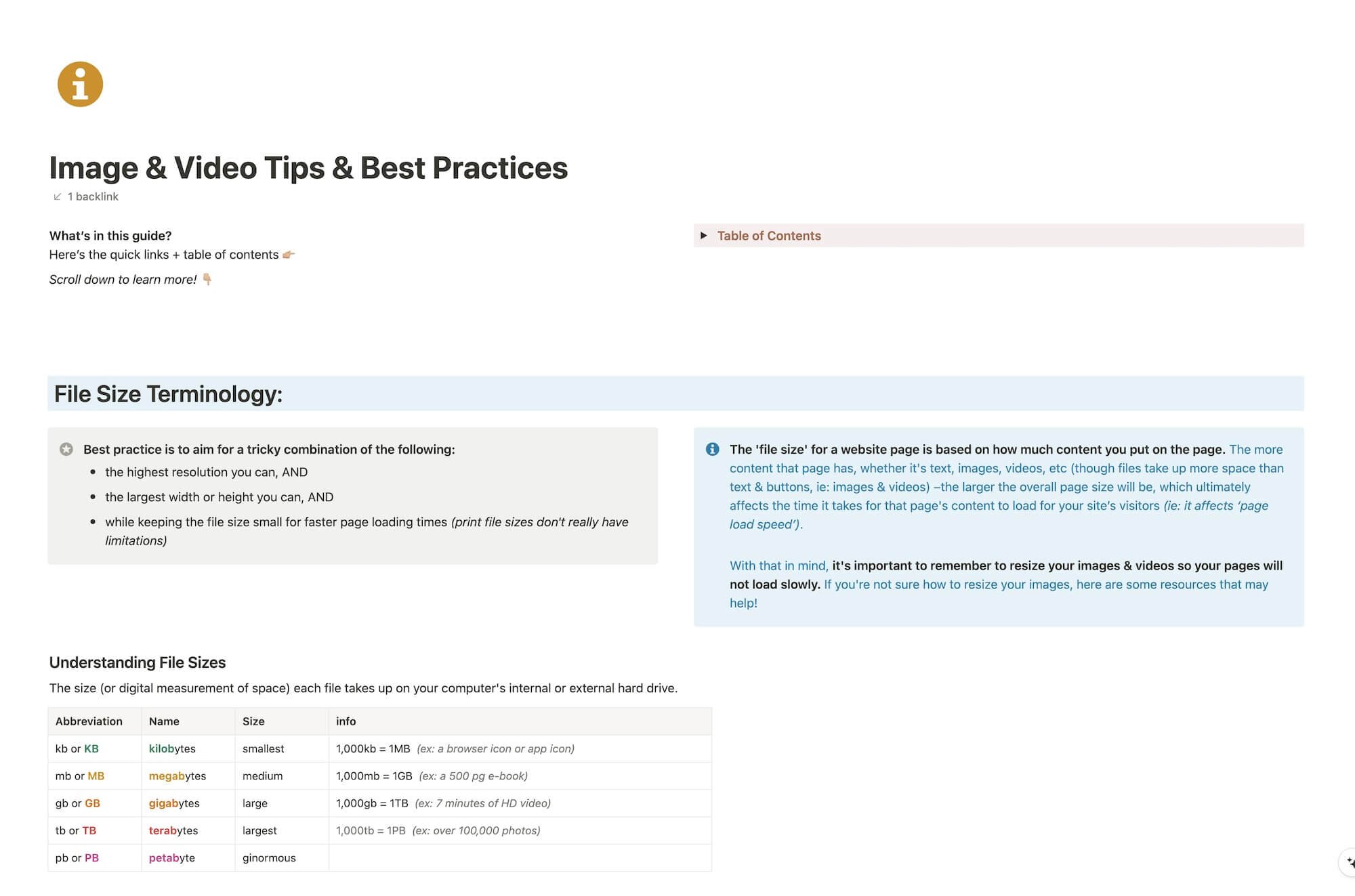
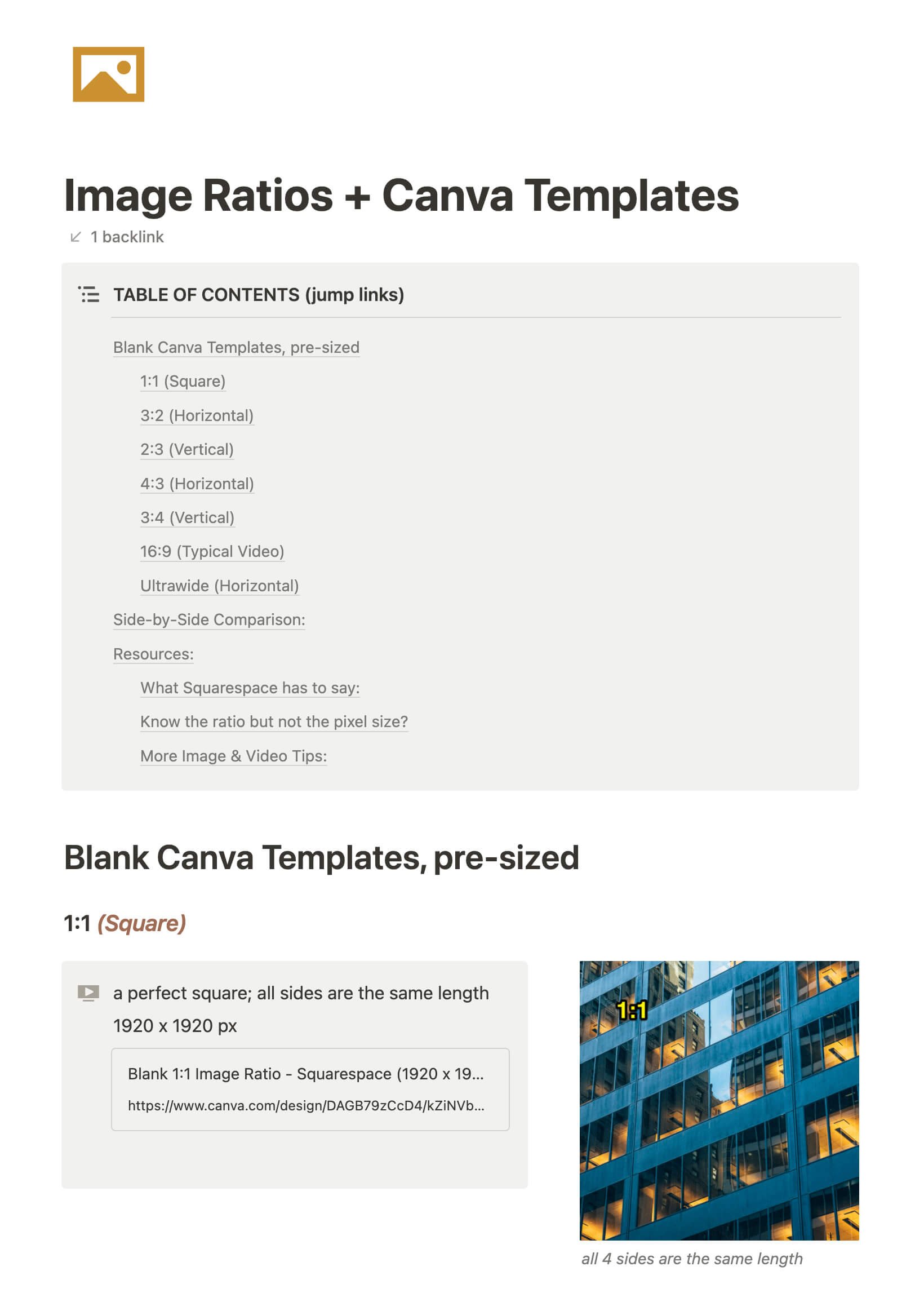
File & format terminologies & size ranges, resource lists, and pre-sized blank Canva templates for various image ratios.











Katelyn, here!
I’m the Founder, Owner, CEO, Designer & Educator at Launch the Damn Thing® and I love coffee, cursing & carefully laid plans. 😂 (Also reading, blaring loud music, and teaching, –but those didn’t fit into my nice alliteration!)

Did I just totally make your day? #goals
