

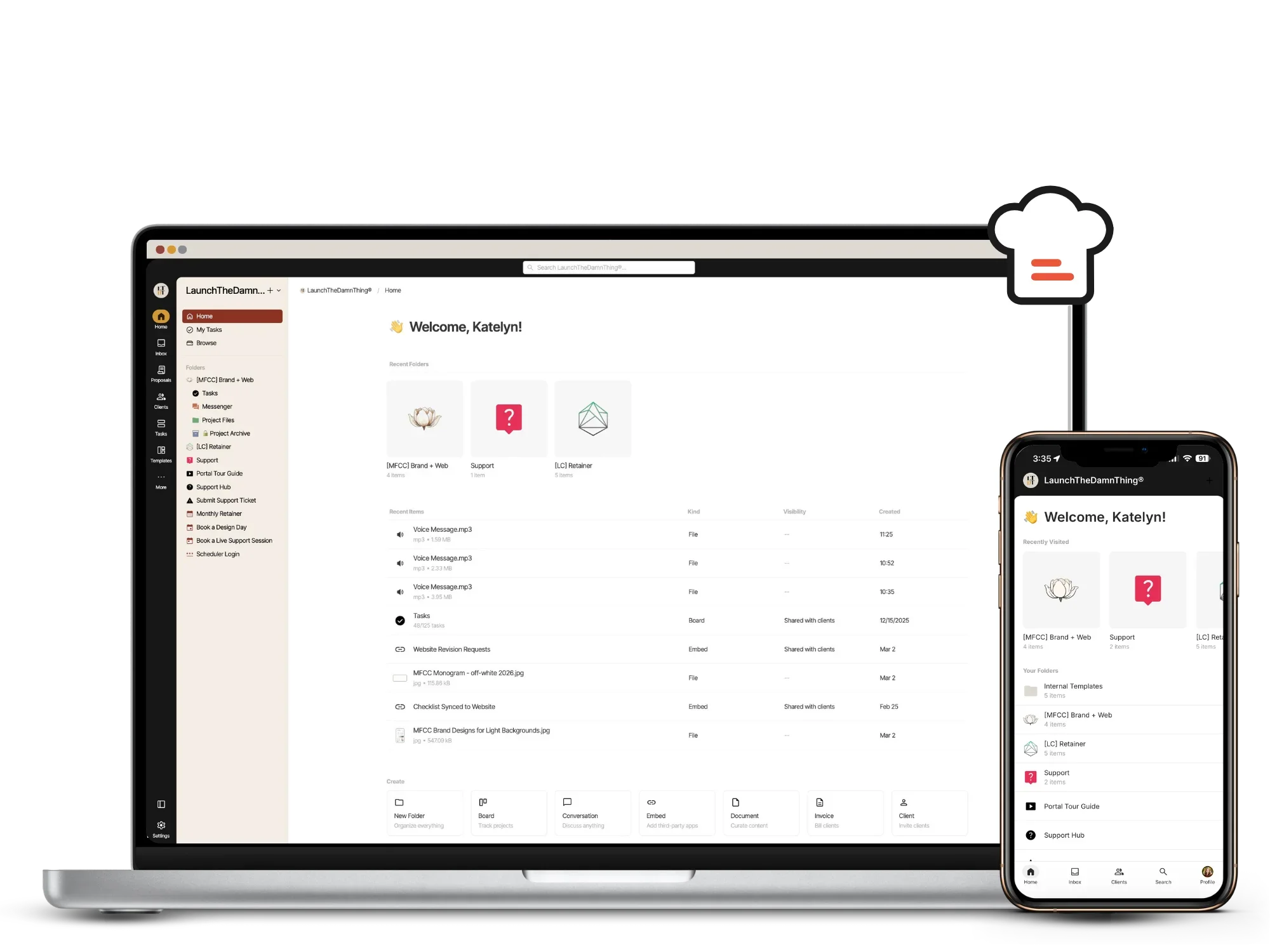
The Ultimate Client Portal for web designers!
I’m sharing my own client portal system that comes with step-by-step setup setup guides designed specifically for web designers who want smoother projects, better content, and way less wasted time! (System is built with Kitchen.co*)
$497
Ok, what is this web designer client portal?
This is a complete client portal setup guide and backend system templates built specifically for web designers who want organized, professional, repeatable processes inside their projects.
This system does not interfere with your chosen CRM if you already have one. It also doesn’t replace it. They can coexist easily together, without paying for 2 separate softwares into perpetuity!
The goals are:
EASY and QUICK implementation for you &/or your team, and
confident, complaint-free adoption from your clients!
Who’s this system for?
This system works great for service providers who work collaboratively with their clients.
Most of this course teaches you HOW to set up your portal inside Kitchen and how to use it, including all the details of client permissions levels, tips for connecting your email & setting up a custom domain, etc.
Once you understand how the tool works, you’ll be confident setting up your own system –whether that’s mine (included in the course) or your own.
The goal is to show you my system as an example, but teach you how to use the tool also, so you can set it up however it works best FOR YOU. It’s very flexible!
What Web Designers Say About This Client Portal System
Here are some of my favorite WINS from 220+ students & my own clients after using this new system with me!
A client portal for designers built from years of real project management
This isn’t a generic client portal template. It’s actually the exact client portal for web designers like myself; one that I’ve used to manage high-ticket custom website projects in my own business.
It's pretty much everything you need to run smooth-as-butter web design projects that will have your clients raving about how organized and professional you are (even if you're secretly working in pajamas with questionable coffee breath). 😬🫢
And the best part is the software I teach you how to use is a ONE-TIME PAYMENT for a lifetime license, –because who needs another damn subscription?! 😅

-
Templatized, repeatable project structure
Easy content collection system
Tips for getting started with AI copywriting
Review & revisions workflows
Simple support systems
-
70+ lessons to binge
60+ bite-sized short video tutorials
Step-by-step implementation guidance
-
This client portal for web designers includes everything you need to implement a repeatable, professional workflow in under a week. You can set it up MUCH faster than you’d expect!
Students can find support in my free community, here.
Let’s peek at the inside!
(Unmute the video to hear me talking you through it!)

FEATURES YOU’LL LOVE
Unlike other generic portal tools, this client portal template and system was designed specifically for web designers who manage collaborative website projects, and other service providers with your own customizations.
TASK MANAGEMENT
With built-in task boards with list & calendar view, per project, you can keep the project on-time & on-task (pun intended!) without needing additional software.
EASY COMMUNICATION
Add your own direct messenger to each project, and clients will be able to send messages from inside the portal, or reply to messages from their inbox (& still show inside the portal).
FILE SHARING
Create an area when clients can upload their logos, images, and more directly into the portal. You can even customize the look & feel for each client if you want to make it super high-touch!
SIMPLE ACCESS
Our clients can choose how they want to ‘log in’ to access the portal with us: emailed magic link, set their own password, and/or turn on two-factor authentication for their user account.
CUSTOM BRANDING
Your portal can be completely white-labeled, so your client will never know they’ve left your website! Customize the colors, the link, the login screen, –even the notification email address!
NOT A CRM
A CRM manages leads and contracts. A client portal for designers manages project collaboration, content collection, approvals, and communication. This system works with your CRM — not against it.

DO IT THE EASY WAY!
Why I built this client portal course (specifically for web designers & service providers)
I'll be honest—I'm a systems junkie & tech nerd. I've gone down countless rabbit holes trying to find the “perfect” project management setup because I refused to believe it had to be that hard to find, create, or setup.
So, I've tried ALL the things:
I spent HOURS building a custom Notion portal and used it for years, before this version
I paid for & tried using countless softwares that promised to solve everything (spoiler alert –– they did not)
I *actually* researched 22 different client portal system options before finding Kitchen.co
The way I see it, you have two options:
Spend YEARS testing tools like I did, wasting hundreds of dollars & time spent in frustration with generic systems that don't quite work the way you want them to, or
Get my battle-tested system that's already working for web designers just like you, with industry-specific workflows baked into a tool that’s designed for us!
Will this actually SAVE me time?
Look, I get it. You're thinking “This sounds great, but setting it all up will take forever!”
That's why I've included videos & templates that walk you through every. single. step.
Honestly, you can implement this in a week or even a weekend if you’re focused & uninterrupted, and start seeing the benefits immediately with your very next client!
Why not just use Trello, ClickUp, Asana, or Notion?
| Software Tool | Project Management |
True Client Portal |
White- Labeled |
Built for Web Designers |
Client- Friendly |
One-Time Payment |
|---|---|---|---|---|---|---|
| Trello | ✔ | Limited | ✗ | ✗ | ✗ | ✗ |
| Notion | ✔ | Limited | ✗ | ✗ | ✗ | ✗ |
| Asana | ✔ | Limited | ✗ | ✗ | ✗ | ✗ |
| ClickUp | ✔ | Limited | ✗ | ✗ | ✗ | ✗ |
| Airtable | Limited | Limited | Limited | ✗ | ✗ | ✗ |
| Dubsado | Limited | Limited | ✔ | ✗ | Limited | ✗ |
| Squarespace | ✗ | Limited | Limited | Limited | ✗ | ✗ |
| This System(Kitchen.co*) | ✔ | ✔ | ✔ | ✔ | ✔ | ✔ |
Inside the Modules
-
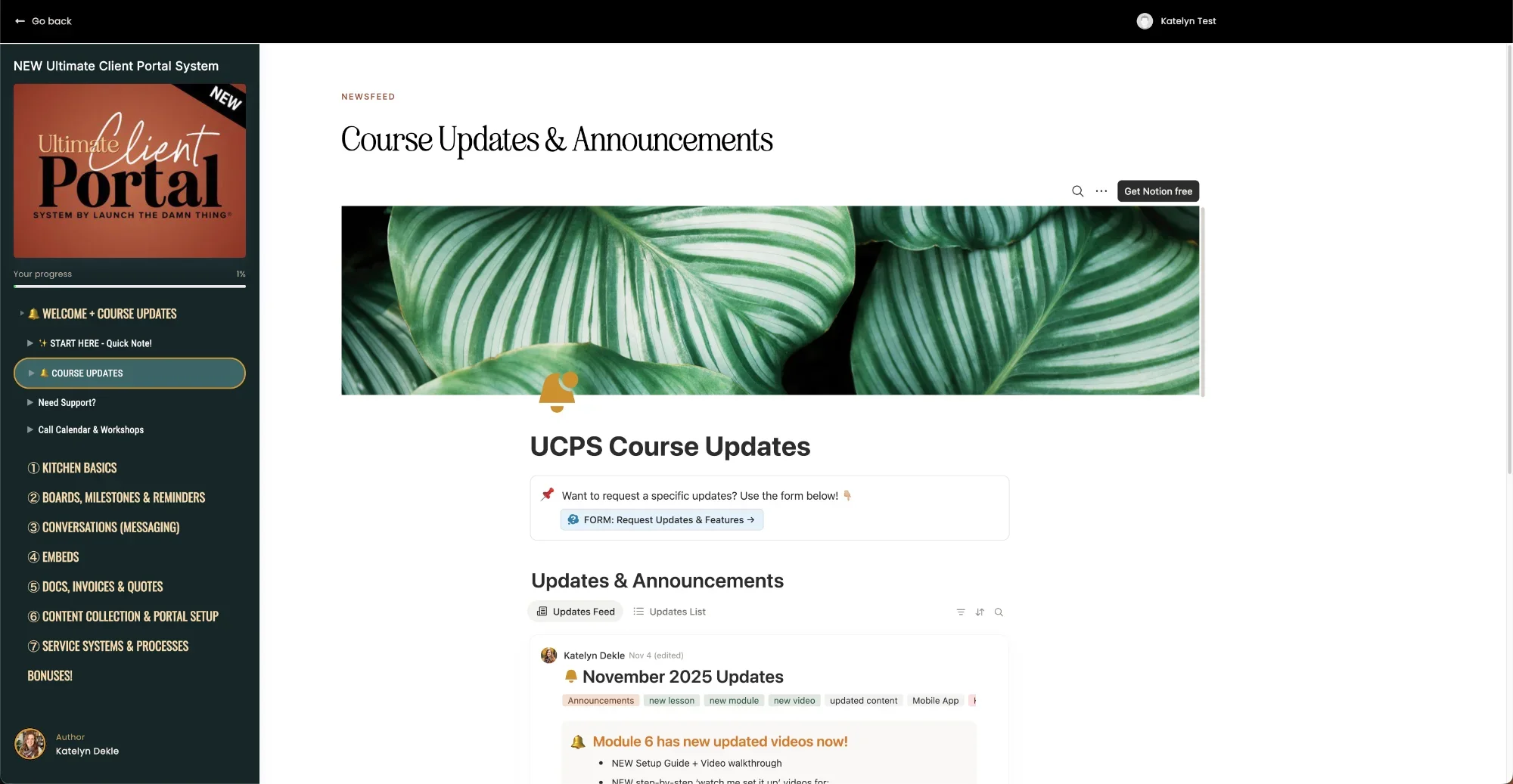
![Module: Updates Announcements]()
Updates
Announcements & Important Info:
Regular updates roundups, posted in a centralized place so you can see what’s changed & where, without having to track it down yourself.
Tech is always changing, so it’s important to me to keep this course updated for all students.
Last updates posted in the course on:
March 18, 2026 -
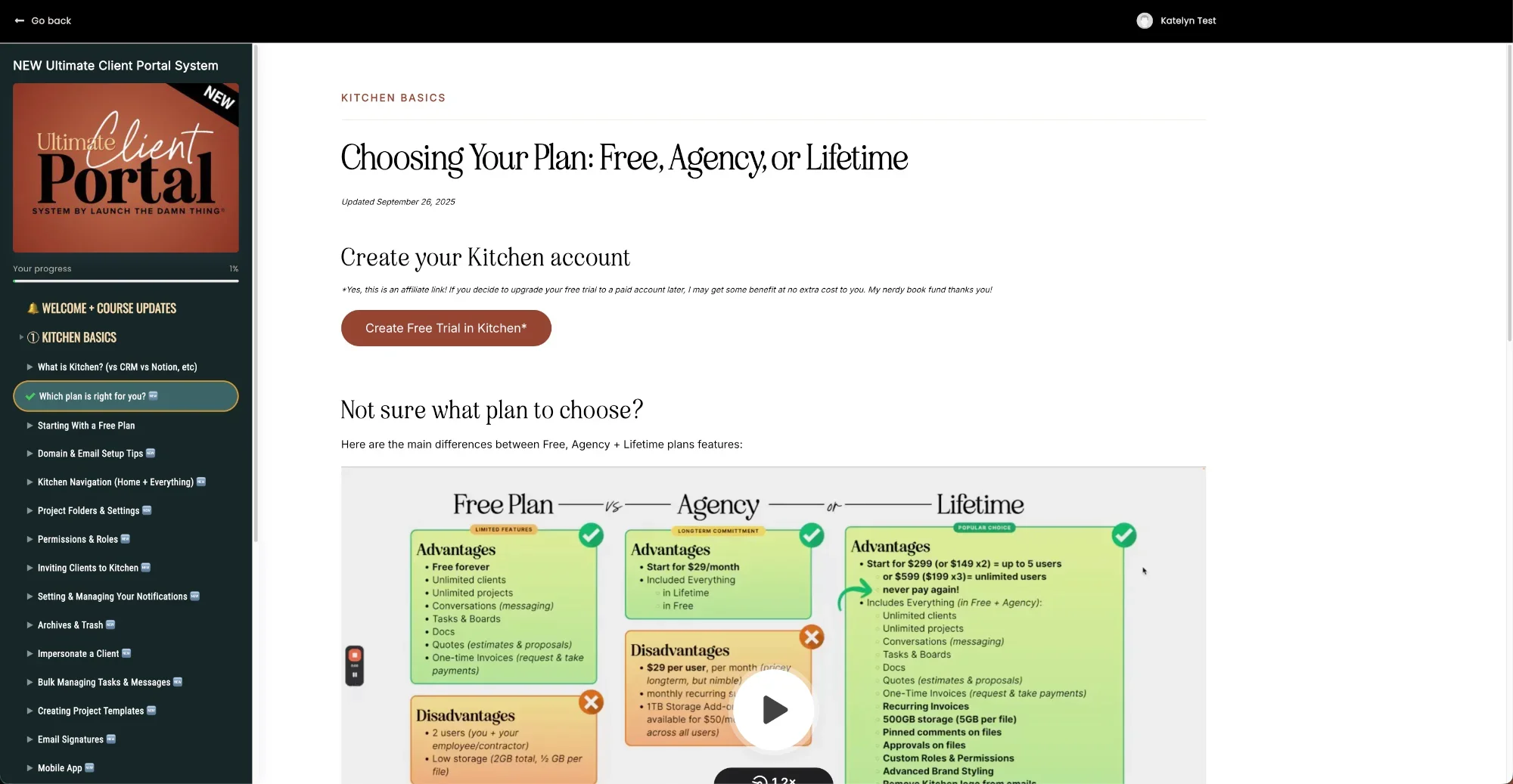
![Website page showing plan options—Free, Agency, or Lifetime—for a client portal for web designers with pros and cons in colored boxes.]()
Module 1
Learn Kitchen’s Basics:
- Which Kitchen plan to pick?
- Starting with the free plan
- Domain & email setup tips
- Kitchen navigation
- Kitchen settings
- Project Folders & Settings
- Permissions & roles
- Inviting clients to Kitchen
- Set & manage notifications
- Archives & trash
- Impersonation for testing
- Creating project templates
- Email signatures
- Mobile app (i phone os)
- Contacting support
- GDPR Compliance
- Kitchen’s updates -
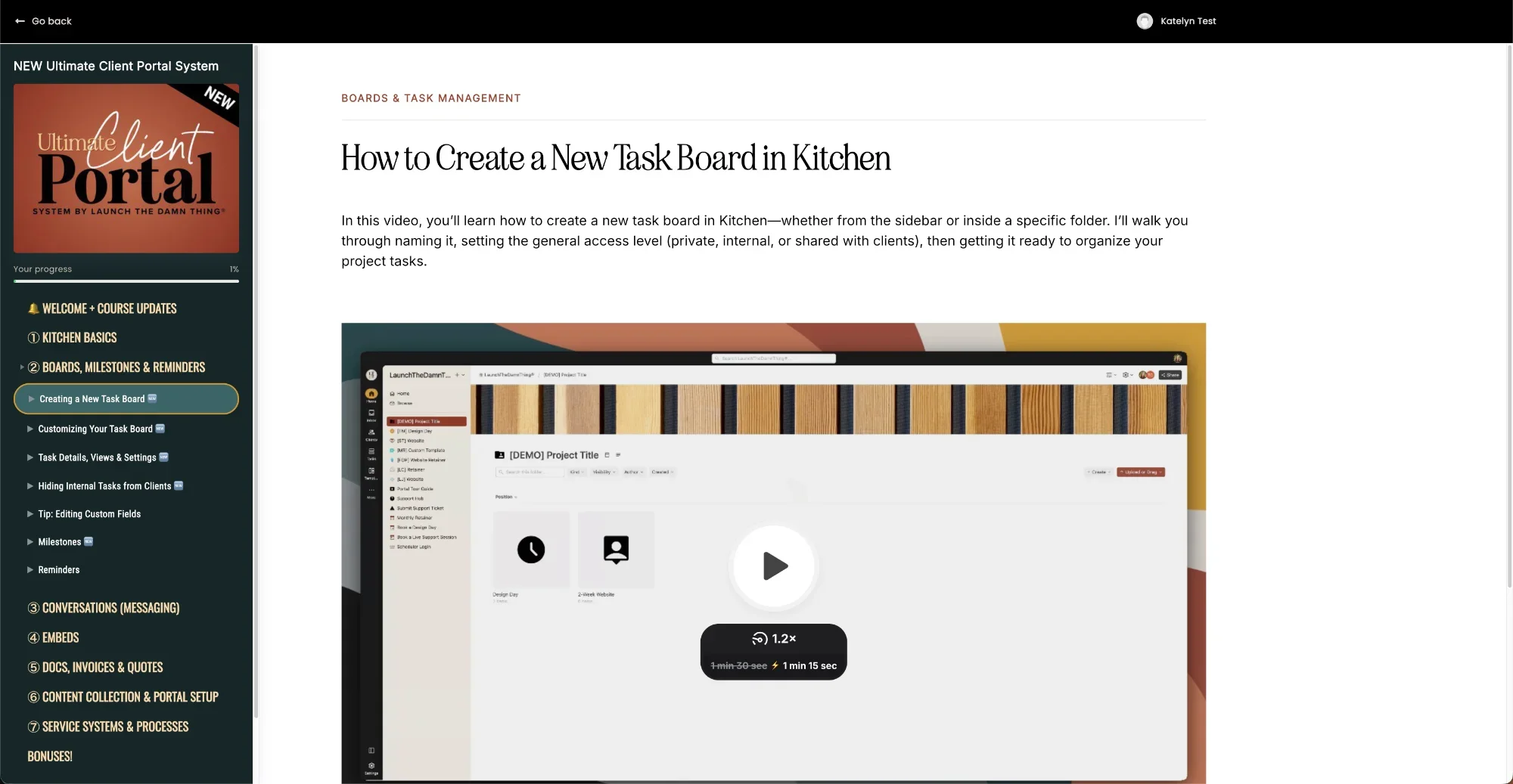
![A tutorial page titled How to Create a New Task Board in Kitchen, ideal for any client portal for web designers, with a video ready to play.]()
Module 2
How to use Boards, Milestones, & Reminders
- Creating new task Boards
- Customizing task Boards
- Task details, views & settings
- Bulk managing tasks & messages
- Email tasks to Boards
- Task mentions in descriptions
- Repeating tasks (automated)
- Easy task cleanup on Boards
- Tip: editing custom fields
- Hiding internal tasks from clients
- Using Milestones
- Using Reminders -
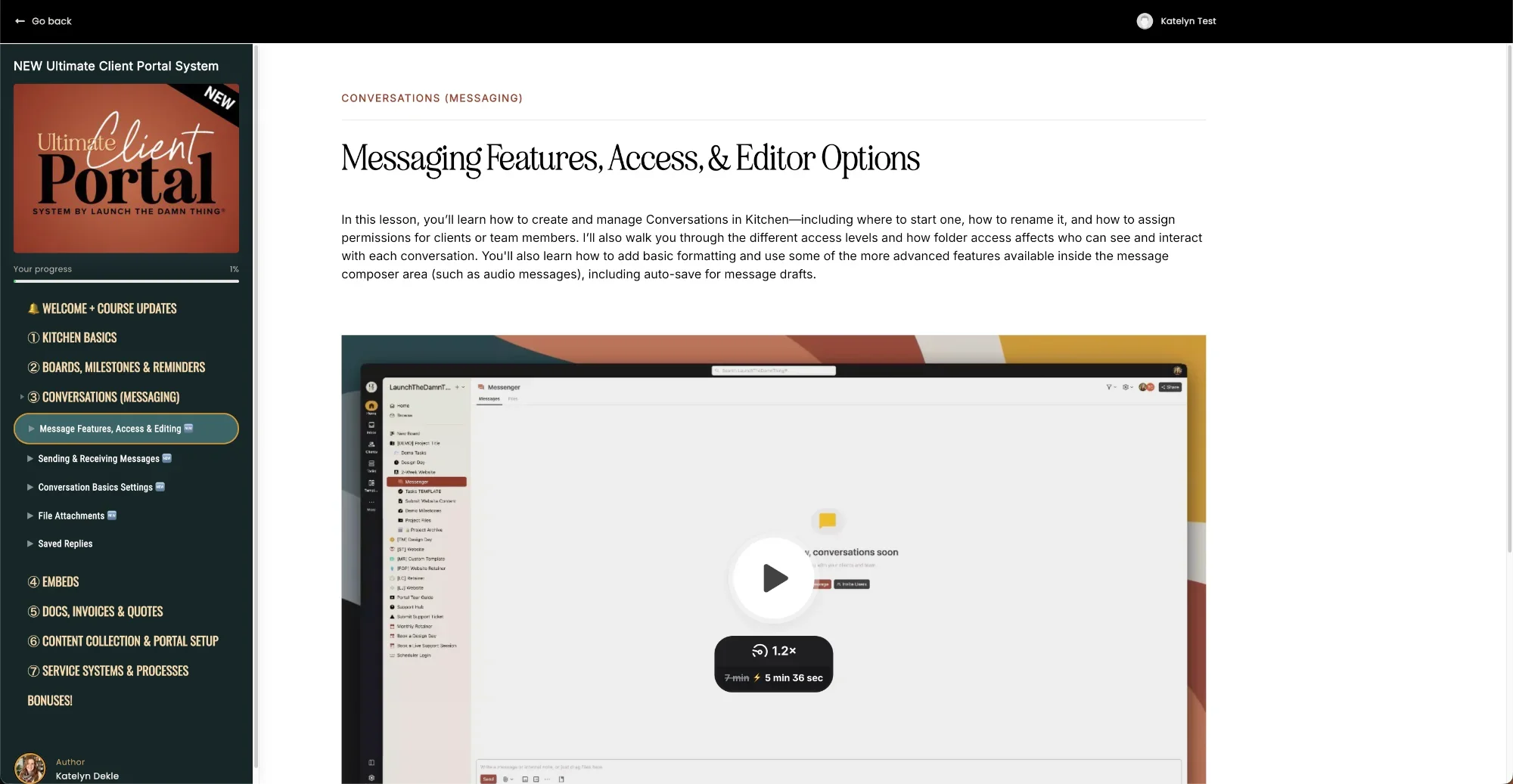
![Screenshot of a client portal for web designers displaying a lesson on messaging features, access, and editor options with a video tutorial.]()
Module 3
How to use Conversations (messaging)
- Message features, access & editing
- Sending & receiving messages
- Conversation basics settings
- File attachments
- Saved replies -
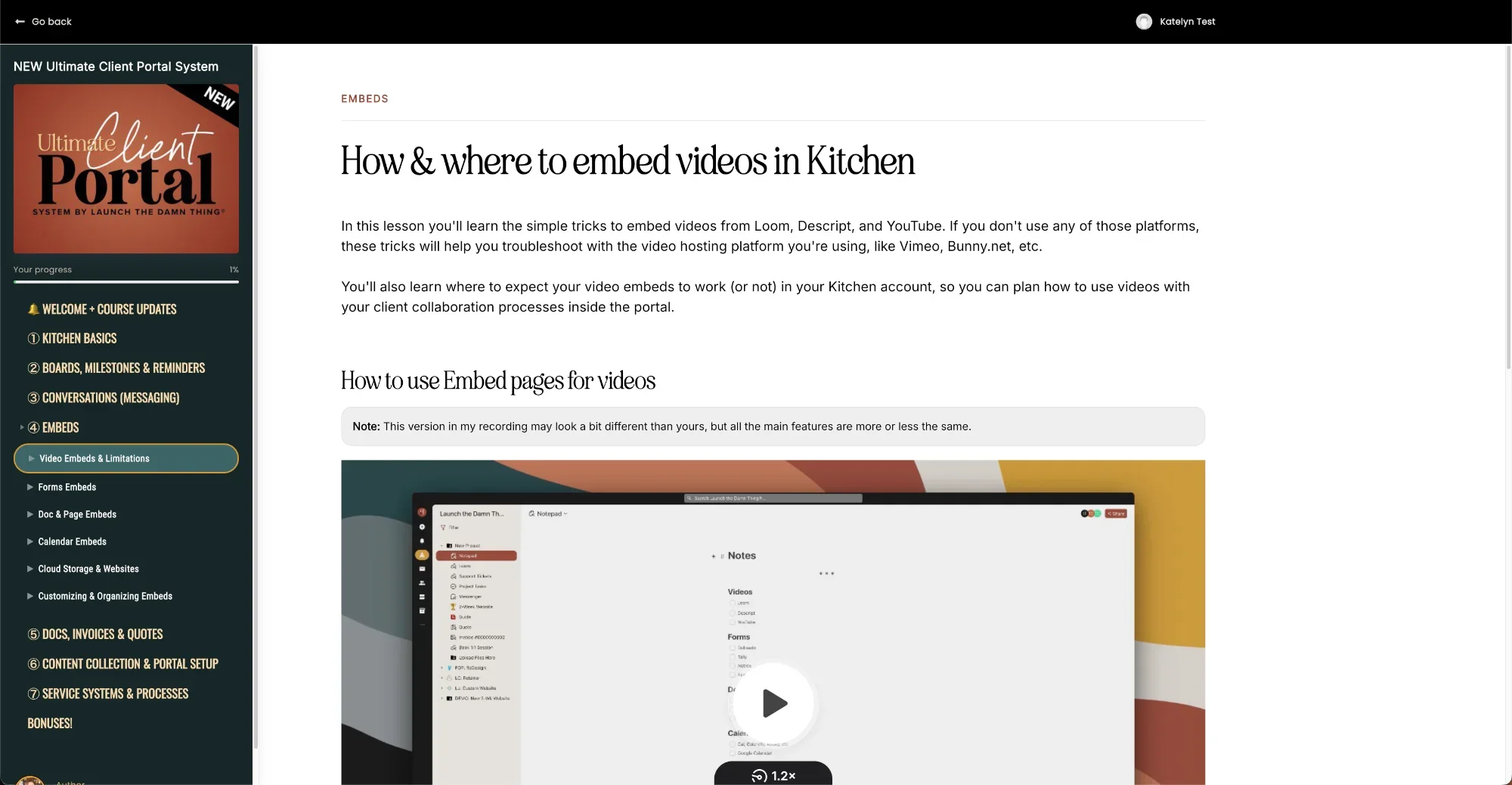
![A webpage titled How & where to embed videos in Kitchen, perfect for a client portal for web designers, with a vibrant video tutorial.]()
Module 4
Using Embedded Content:
- Linked assets
- Video embeds & limitations
- Form embeds
- Doc & page embeds
- Calendar embeds
- Cloud storage & websites
- Customizing & organizing embeds -
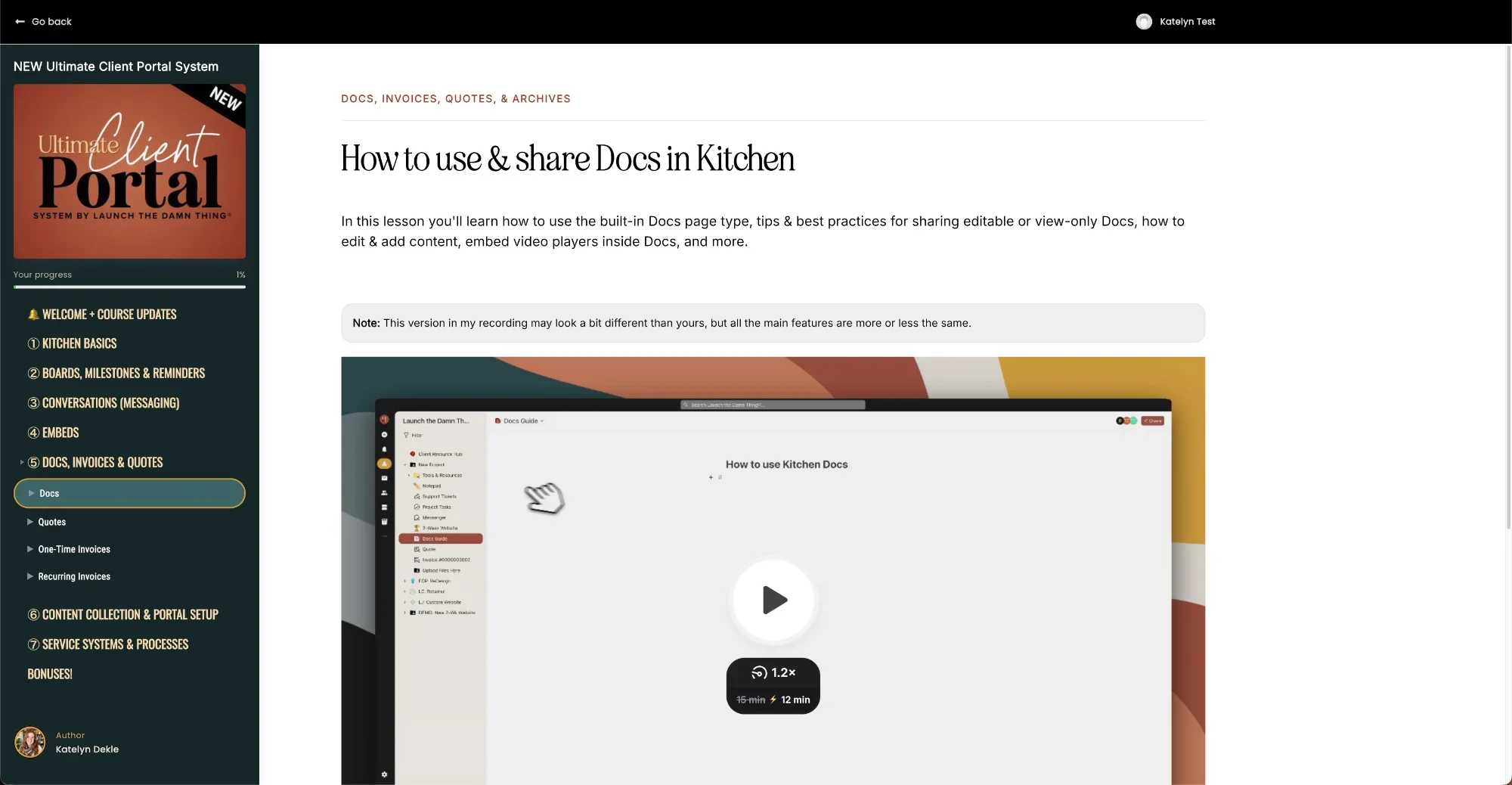
![A tutorial webpage titled How to use & share Docs in Kitchen, ideal for a client portal for web designers, with video and sidebar navigation.]()
Module 5
Docs, Invoices, Quotes, & Archives:
- Docs
- Quotes
- One-time invoices
- Recurring invoices -
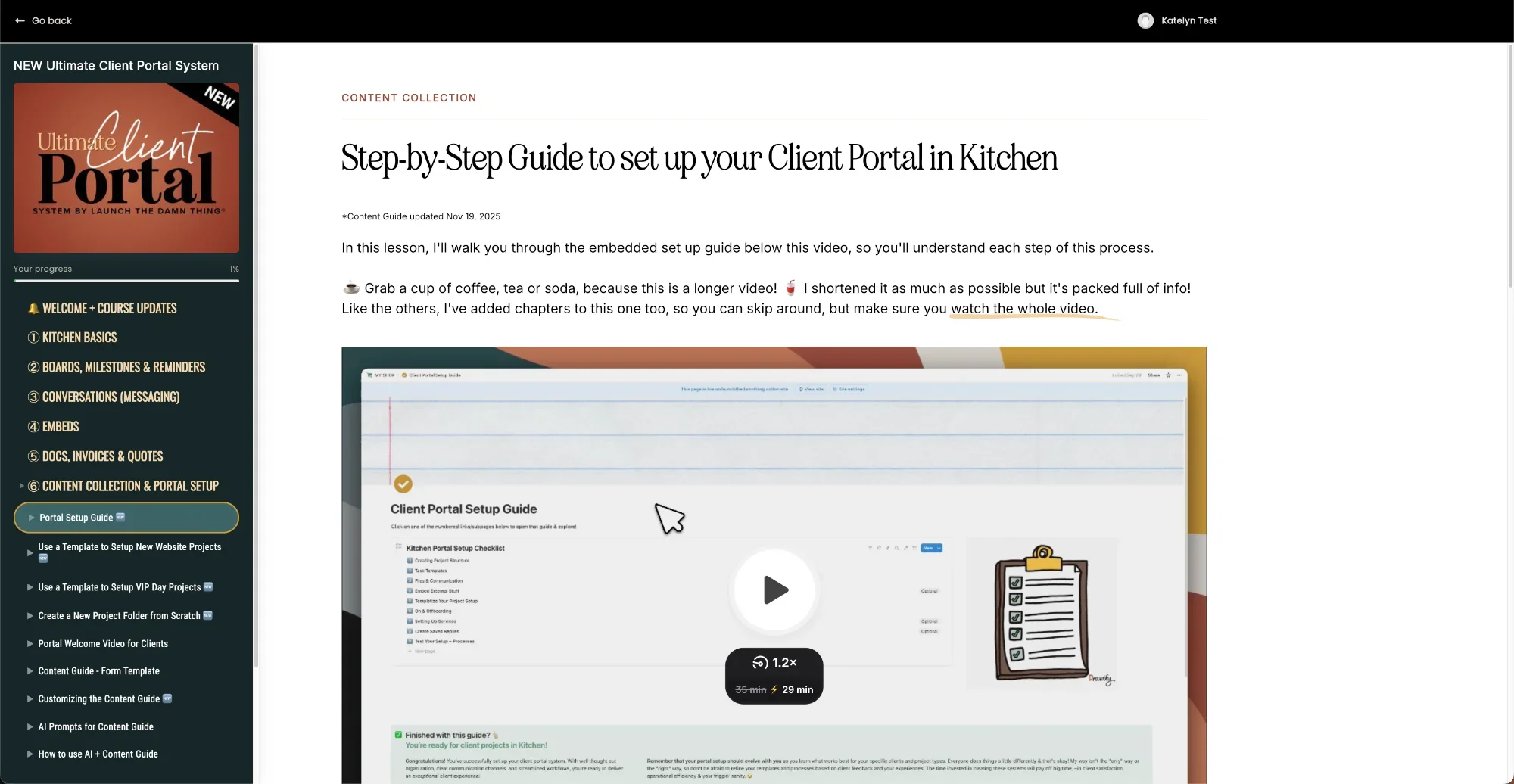
![Screenshot of a Step-by-Step Guide to set up your client portal for web designers in Kitchen with a video tutorial displayed.]()
Module 6
Content Collection & Portal Setup:
- Portal setup guide (checklist)
- Setup new websites projects
- Setup VIP day projects
- Create new projects from scratch
- Portal welcome video (example)
- Content guide (form template)
- Customizing the content guide
- AI prompts for the content guide
- How to use the prompts + guide -
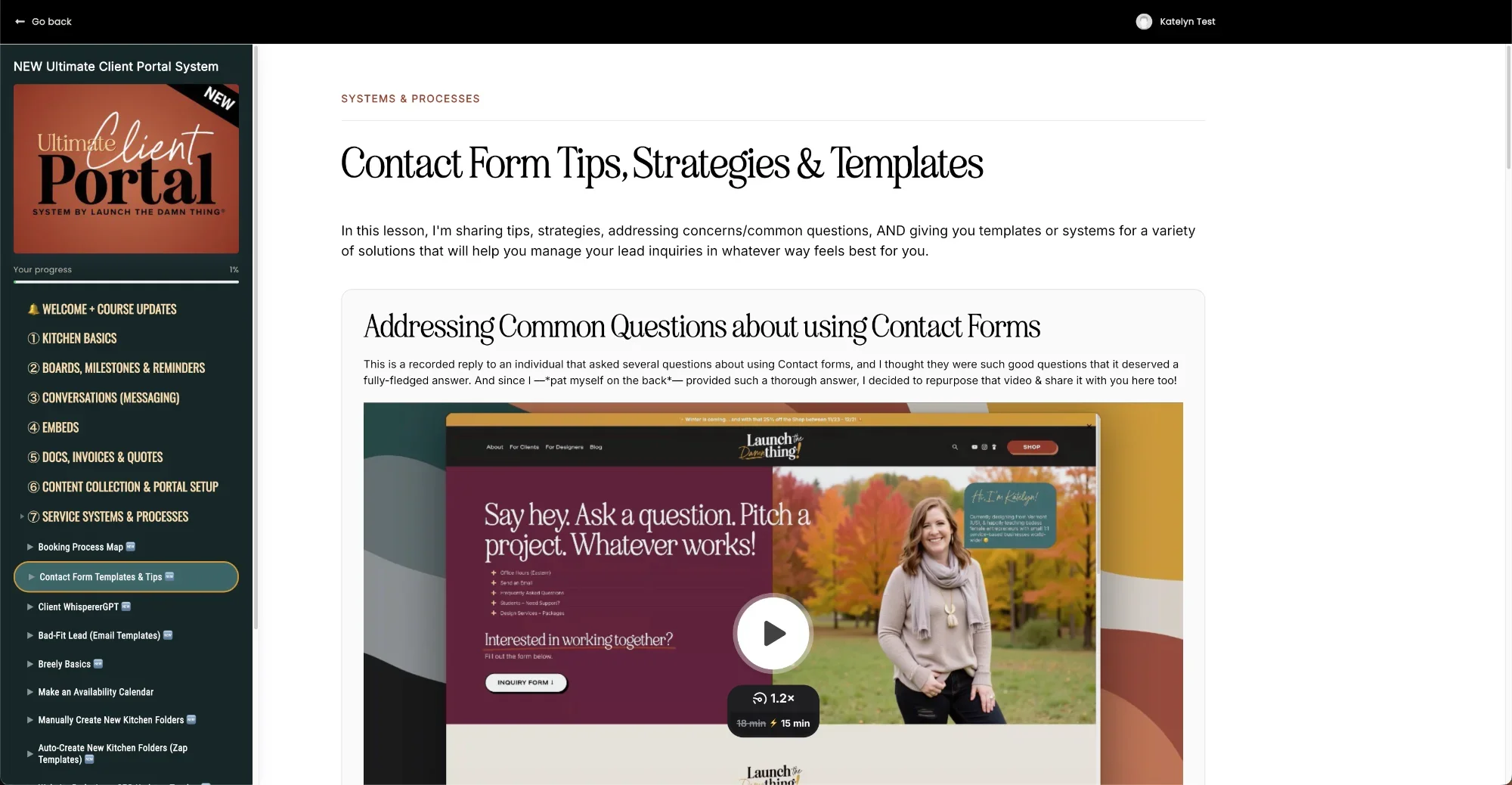
![Screenshot of a webpage with contact form tips, strategies, and a client portal for web designers; video thumbnail shows a woman outdoors.]()
Module 7
General Systems & Processes:
- Booking process map
- Contact form templates & tips
- Client Whisperer
- Bad-fit lead (email templates)
- Breely basics (scheduler)
- Make an availability calendar
- Manually create new projects
- Automatically create new projects (zap templates)
- SEO tracker template for website redesigns
- Client reviews (form templates)
- Client Resource Hub
- Organizing Tally forms
- Tech options: recording client tutorials
- Basic support ticketing in Kitchen
- Getting website feedback -
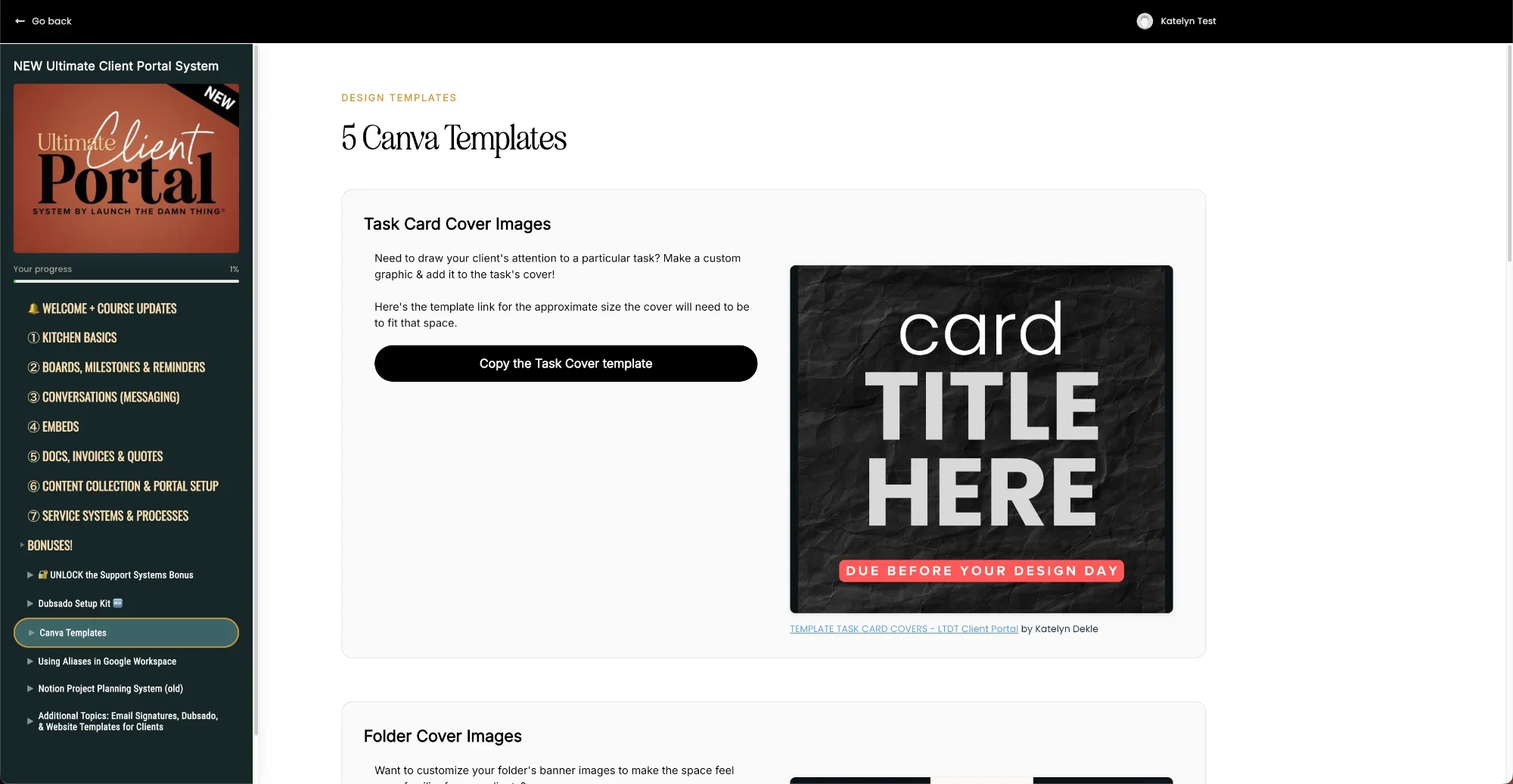
![A website page displays Canva templates, featuring a sample card design—ideal for a client portal for web designers.]()
Bonuses!
Extra goodies!
- Recommended Dubsado Setup Kit
- 5 Canva Templates
- Review to unlock access to the separate mini-course on building Client Support Systems
- wildly useful tutorial playlist (misc)
- Notion Project Planning System (old)
- and more!
This isn't just about getting organized
It's about leveling UP your entire business.
When your projects run smoothly:
You can take on more clients without burning out
You can raise your rates (because you look professional AF)
Your clients become raving fans who refer their friends
You actually enjoy your projects instead of dreading client interactions
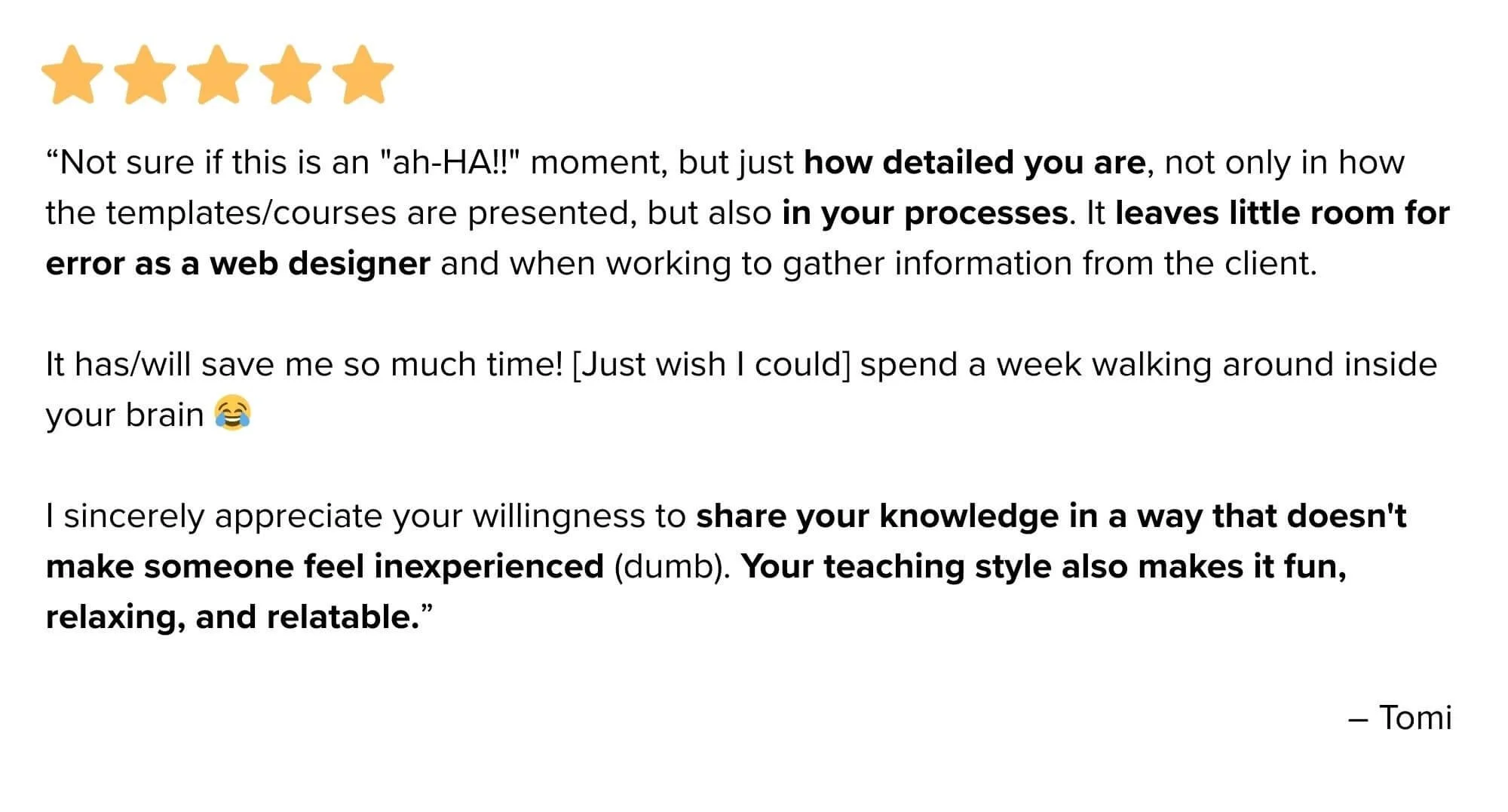
What designers like you are saying ...
Is this client portal system right for you?
Squarespace designers (or WordPress designers, Showit designers, etc.)
Freelance website designers
Small web design agencies
Medium web design agencies
Freelance service providers that want to use a portal with their clients
Designers tired of chasing clients for content & feedback
Service Providers that want to look more professional & raise rates
You––if you’re ready to stop messing with cobbled-together systems
You–– if you hate juggling 17 different software subscriptions to manage projects
It's probably NOT a good fit if...
You only do one or two websites a year & this is just a hobby
You already have a perfect client management system 👏🏻
You genuinely enjoy hunting through email threads for content
You thrive on chaos (no judgment, some people do!)
A Better Client Experience
This client portal template costs way less than one missed project deadline creating endless project timeline extensions, or one single chaotic launch week for professional web designers like yourself!
OPTIONS
one payment of
$497
or create a payment plan with
Affirm, AfterPay, or Klarna during checkout

20% OFF

🔥 IMPORTANT!
I’ve updated and re-recorded the course twice in 2025, and have been updating lessons in 2026 too, to keep up with shifting tools, evolving workflows, and new UI updates—so if it’s been on your wishlist, now’s the time to jump in while the price is at its lowest!
Ready to transform your web design business?
We both know disorganized projects are costing you:
Time (hunting through emails and messages)
Money (not being able to take on more clients)
Sanity (explaining the same thing over and over)
Quality (when clients give you terrible content)
Why struggle for one more day when you could have my entire proven system?
Got Questions? 🥛🍪
-
After testing 22 different options (yes, really), Kitchen.co* is hands-down the best client portal for designers who want a setup that actually reflects the quality of their work.
Most project management tools like ClickUp, Notion, or Asana are built for internal teams — they weren't designed with your client's experience in mind.
Kitchen gives you a fully white-labeled portal your clients can access without a confusing account setup, built-in task management, file sharing, direct messaging, and a one-time payment versus yet another monthly subscription. It's a rare tool that makes you look more professional and makes them feel taken care of — at the same time!
-
It's a client portal — and that's actually the point.
A CRM (like Dubsado or HoneyBook) manages your leads, contracts, and invoices: the business parts.
A client portal for designers especially is where the active project lives — tasks, files, feedback, communication, all in one place your client can actually navigate without needing a tutorial.
This client portal template doesn't replace your CRM; CRM compatibility is fully built into how this system works, so it picks up right where your CRM leaves off. Once the contract is signed and the deposit is paid, your Kitchen setup becomes the hub where the real work happens — and where clients go from "I hope this goes okay" to "this is the most organized process I've ever been through!”
-
Yes, –and no. 😂 Those tools are strictly task & project management apps, intended for internal collaboration work with ourselves & our team if we have one. Learn more about this, in this blog post.
Kitchen is designed to manage collaborative work with people we don’t employ, or manage contract work with (team) AND guests who don’t have their own Kitchen account –and never will.
THIS MEANS OUR CLIENTS (GUESTS):
ONLY have profiles in OUR Kitchen account
don’t get marketing or onboarding emails from Kitchen, because our client doesn’t have an account with them –only with us
can access the portal with a magic link; passwords & Two-Factor Authentication are optional
don’t have to create an account in a tool/app they may never use again (we ‘create their profile’ for them when we send them an invitation to the portal)
this also means we can ‘impersonate’ their account to see what they see, help them set notifications so they won’t be bombarded, etc
NEVER see Kitchen’s branding or name anywhere, if we white-label our accounts; meaning, emailed notifications come from OUR recognizable email address, the login link uses our brand’s web address, and the coloring matches our brand too
-
No. I am not partnered with Kitchen in any way, so it’s not my software and I can’t gift you a user license.
When I found Kitchen and fell in love with it, I had started with a free plan myself, and promptly upgraded to a paid plan within 24 hours.
I bought my own lifetime user license before ever deciding that more people had to know about this software! I only decided to teach people how to use this amazing & affordable tool, after I realized no one seemed to know about it, their own tutorials were severely lacking, & my Club members were asking me to help them set up their accounts.
-
Yes it does, but that’s subject to change, by their team.
You can absolutely test out the client portal template features with their free plan while it’s available, to see if you like it before you purchase my client portal for web designers, or Kitchen’s lifetime plan.
Start a free plan now* & see for yourself!
-
For this setup, you’ll need to create a free account or purchase your own plan from Kitchen.co* independently from this course, as Kitchen.co software licenses are not mine to give.
I’ll list the pricing options below as of Sept. 2026, but make sure to check their pricing for updates. Changes may not be reflected here!Lifetime plans will be retiring soon! Retirement date is TBD as of Sept. 2026, but the change will not affect current lifetime plan users, so grab it while you can!
a Lifetime plan starting at $300 total (can be split into 2 payments) for up to 5 internal users + unlimited free guests/clients
a Lifetime plan starting at $600 total (can be split into 3 equal payments) for unlimited internal users + unlimited free guests/clients
a subscription option (Agency plan) at a low monthly rate of ~ $30/mo, recurring
Other tools used in this course & set up are using free plans of software like Tally.so* to build forms, Zapier’s free (or paid plans), or Google Calendar which you likely already have access to using either a paid Google Workspace or free Gmail account. -
You can have the basics running in a weekend if you binge the course, like I tend to do when I get excited about what I’m learning. 😂
Most designers can implement the full system within a week, and use it with your very next client.
-
Absolutely! This system is designed to complement your existing CRM (like Dubsado, HoneyBook, etc).
This client portal handles the day-to-day project task & content management, while your CRM continues to handle booking, leads, contracts, and invoices.
You can still keep your CRM to book the projects & manage your leads, then when the project is ready to start (homework, then design, etc) you invite the client to your portal using this system for the duration of the project & its support window (if you provide post-launch support).
-
Yep, totally! This client portal template is designed to work alongside whatever CRM you're already using — Dubsado included.
Dubsado handles your contracts, invoices, and lead workflows beautifully, while Kitchen handles the actual client-facing project experience & delivery once someone's signed on. They play well together, and you won't have to blow up your existing setup to make it work.
If anything, adding Kitchen fills the gap that Dubsado's portal features leave behind — giving your clients one clean, branded place to track progress, upload files, and communicate with you throughout the project.
-
No. You will have to recreate it –but I’ve purposefully revamped the whole system in Kitchen BASED on the foundational elements I used in Notion ––and stripped out the redundancies or extras that we can easily use AI to do for us.
That stripping down means the new version in Kitchen is much simpler for BOTH you & your client, and also means it can be recreated much more quickly with my step-by-step guides, requiring much less editing than the Notion version.
-
Club Insiders do get 20% off this template AND get the Pricing Calculator template FREE.
The coupon code access is linked here so if you're an Insider member (first), you can click to see/grab the discount code & then checkout with the code when you're ready.
-
Nope! Kitchen’s guests can access with an email address & an emailed magic link to login, which does not require a password and links from their notification emails will jump them right inside, effortlessly.
That said, inside their profile when logged in, they can choose to set a password if they want, and even turn on Two-Factor Authentication for their account!
-
Nope! Kitchen.co* is super intuitive & easy to learn. I also provide tutorial videos to teach you how to use all of it, so you can help your clients use it effectively too.
Honestly though, most designers can figure it out in minutes without any help, just needing guidance for permissions & more advanced details.
-
Nope! That’s totally up to you & how you set up the account, and/or how you direct the client to manage their notification preferences. There’s a whole lesson on how to manage notifications for yourself & for your clients.
There are more options available than for guests in the old Notion system, and much fewer than my old ClickUp system. 😂
-
As many as you want! The system scales beautifully whether you have 3 clients or 300.
Kitchen organizes projects like computers manage file folders, so the nested system will be recognizable to you immediately. Plus, their recent UI updates allow you to browse through everything easily, no matter how deep it’s nested in your system!
-
If you can design websites, you can set this up! I walk you through every single step in the videos. No coding or fancy tech skills needed.
-
Yes! I’m regularly asking my students what they would like to see ADDED or updated, to make sure everything is truly covered in this course.
And before you ask –yes, ALL students get access to these updates regardless of when you purchased. 😉
-
Night and day! This new system is more intuitive, has WAY better client adoption, includes prompts for AI content generation, and runs on Kitchen.co*(which has a one-time payment model instead of a subscription).
-
Nope! All of my products come with lifetime updates, so if you purchased the Notion or ClickUp version before March 2025, you already have access to this new version — go check your inbox or course library!
If you're brand new here: just know the old Notion & ClickUp versions are deprecated (no longer updated) and genuinely a different system. This new Kitchen-based version is simpler for both you and your clients, requires less pre-project prep work, and cuts way down on the homework you have to ask clients to do. It's not a patch — it's a full rebuild, and the better one!
-
Great question! Watch this short video for more details, but here’s the short version 👇🏼
This is a course that teaches you how to set up & use Kitchen.co* for your client portal, to organize your project processes & collaborate smoothly with your web design clients. It’s a course primarily because there’s no way to literally give you my system as a template, so I have to teach you how to recreate it or make the most out of Kitchen’s features.
The Web Design Starter Kit is a Squarespace template (+ tutorials) you can edit & keep in your account, to duplicate & use as a foundation for each new custom website you build/design for your clients, so you can cut back on the amount of admin work of starting a custom website from scratch every single time –when that’s not the most efficient/fastest way to begin building.
-
Due to the nature of digital products with immediate access, there are no refunds for this system because it's not possible for you to "return" digitally delivered intellectual property for a refund once you've been granted immediate access. #sorrynotsorry
If you're not sure if this course is right for you, make sure you check the Sneak Peek above where you can peek inside, read all of these FAQs if you haven’t already, and ask me questions before you purchase!
Have more questions?
Use the form to ask! 👉🏼

This could be you! 👆🏼
Used by web designers across the U.S., including Vermont, New Hampshire, and across the globe.
Every day you don't have this system is another day spent:
Digging through email threads
Apologizing for confusion
Dealing with terrible client content
Working harder than you need to
LET'S FIX THAT TODAY.
