

The Blog
Squarespace Tips & Client Systems for Web Designers & Service Providers
Detailed tutorials, shared client systems, pricing tips, and tool reviews for solo service providers and web designers who want less hustle &/or overwhelm.








FREE AI TOOL FOR DESIGNERS
An AI tool that helps you handle the hard messages
The Client Whisperer is a free AI writing tool trained to help you handle the messages you dread most—even the confusing ones you're not sure how to respond to—while still holding your boundaries, aaaaand not being unkind. 🥴
Works in Claude (free or paid), ChatGPT (free or paid). Step-by-step instructions are included for each!

8 reasons why I love Graphic Design
When a client has come in to peer over my shoulder and watch me make a quit change to their art, they pause, seeming fascinated with whatever I’m doing, or waiting to see how I make the changes they asked for. Then they’ll say something like: “I could never do that,” or “Sitting at a computer all day would drive me crazy,” or “That is so cool!”
Hearing other people’s perspective is fascinating to me, whether a seemingly negative statement, or a compliment on my skill set. I absolutely love what I do, and it’s frankly funny to hear a client who may be a farmer or a owner of an accounting firm, or whoever they may be, come in and say they couldn’t do my job, because I absolutely can’t imagine doing anything else (including, probably, whatever they do for a living too)!
I love what I do! Plain & simple; and I’m going to share how I came to decide on this career field, and 8 reasons why I love it.

4 Quick Tips in Photoshop & Illustrator
I've been using Adobe products for years now (all versions since Ai 10, up to the current Creative Cloud). I learned a lot in my college education, and even more through experience working in the field for last 10 years, but these programs are so large and expansive that I still find I'm learning new things about the Adobe software!
When you've been using something for a long time and you learn something new and useful about it, it's exciting; and that's why I'm sharing these tips with you today!

My Favorite Apps for Designers + Freelancers
We're all SO busy these days! If you're keeping up with the trends then you haveto cook the perfect healthy meal with that new "superfood" ingredient, or complete this particular workout, or go take this particular class, or whatever the latest trend may be.
You may have kids and a full time job on top of it. Maybe you work at home full time, or have a 9 to 5, and then work nights & weekends on your side-hustle (whatever that may be).
No matter the details, there's still every day tasks to do (like cooking, cleaning, yard work, etc.) on top of maintaining a home life and keeping up with tasks at work. There's also the added task of not totally ignoring your SO or your friends and family while you work your little butt off!
So, who doesn't want a few apps that can make life a little easier?

Do you know when to take a break?
You probably know the famous saying, "Que sera sera," or, "Whatever will be, will be." That's the advice I'm giving myself!

How to create custom folder icons (on a Mac)
The one complaint I hear most about the Apple operating system is that it isn't as customizable as Windows. While that's an accurate assessment, it doesn't mean it isn't customizable at all (if you know the some simple tricks)!

3 tips for a smoother design process
These are my Top 3 Tips for a Smoother start to the Design Process (they also happen to be pet peeves, just because they tend to be such time-sucks).
I've included a FREE CHECKLIST at the end too! It lists the types of files designers work with and what file formats to send us for certain types of documents when we ask you for them during a project.
These 3 points are essentially just tips to help the design process start moving along more smoothly. It will honestly SAVE each of you (designer + client) loads of TIME, if you both can avoid doing these three things when you start each project! Okay, here we go!









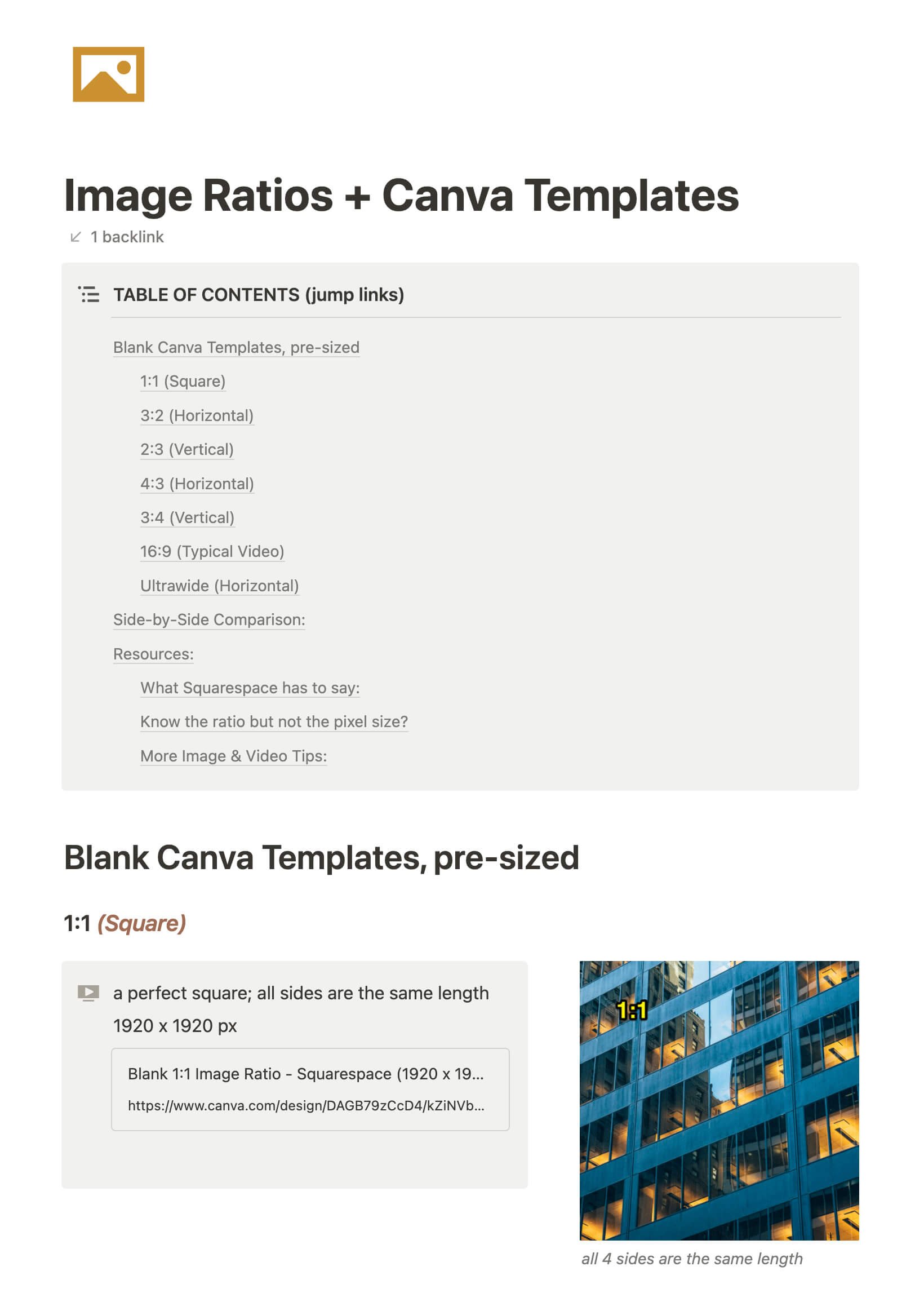
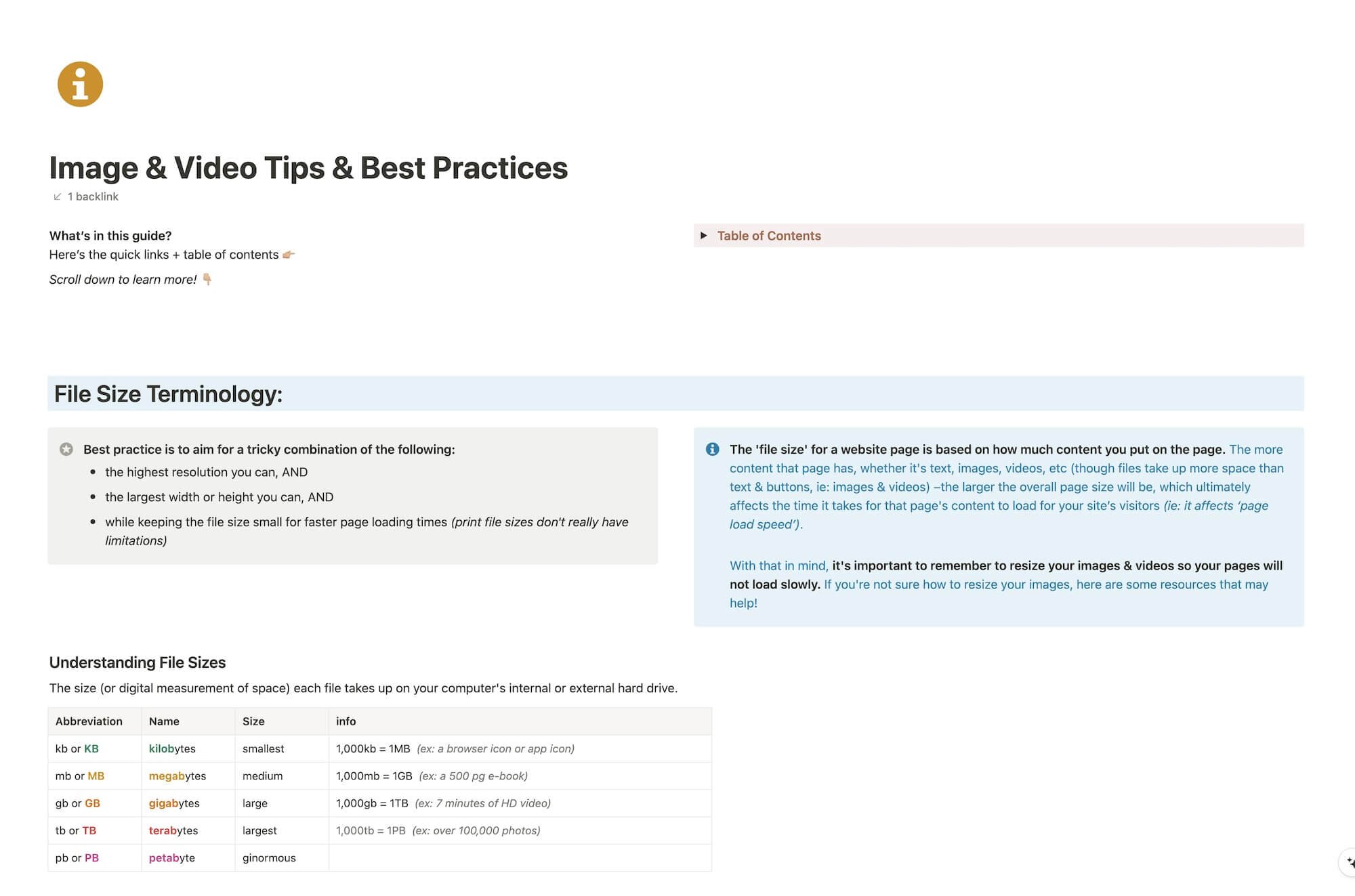
CHEATSHEET & TEMPLATES
File & format terminologies & size ranges, resource lists, and pre-sized blank Canva templates for various image ratios.
Katelyn, here!
I’m the Founder, Owner, CEO, Designer & Educator at Launch the Damn Thing® and I love coffee, cursing & carefully laid plans. 😂 (Also reading, blaring loud music, and teaching, –but those didn’t fit into my nice alliteration!)
Did I just totally make your day? #goals
