

Web Design & Business Tips
O N T H E B L O G
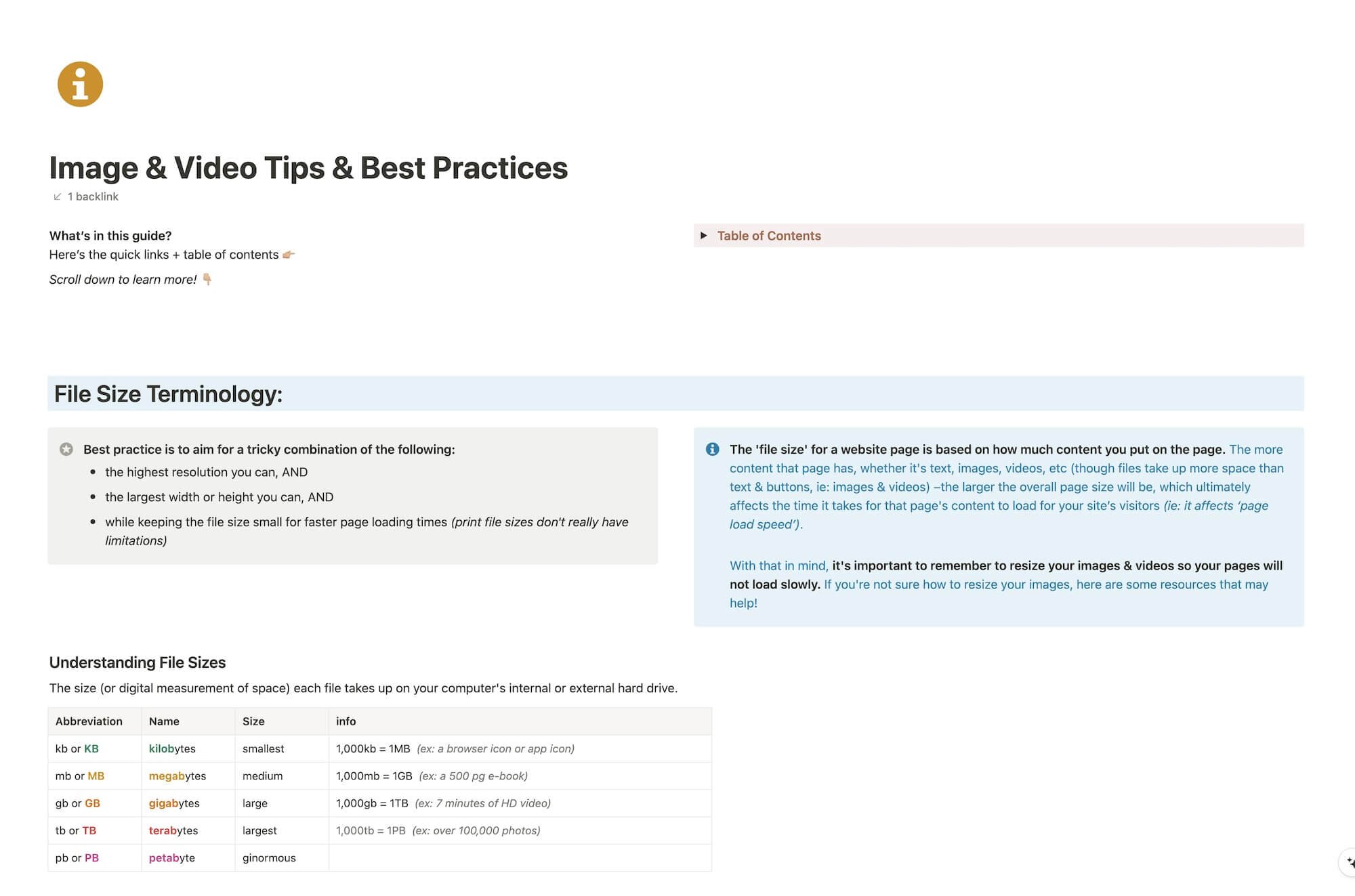
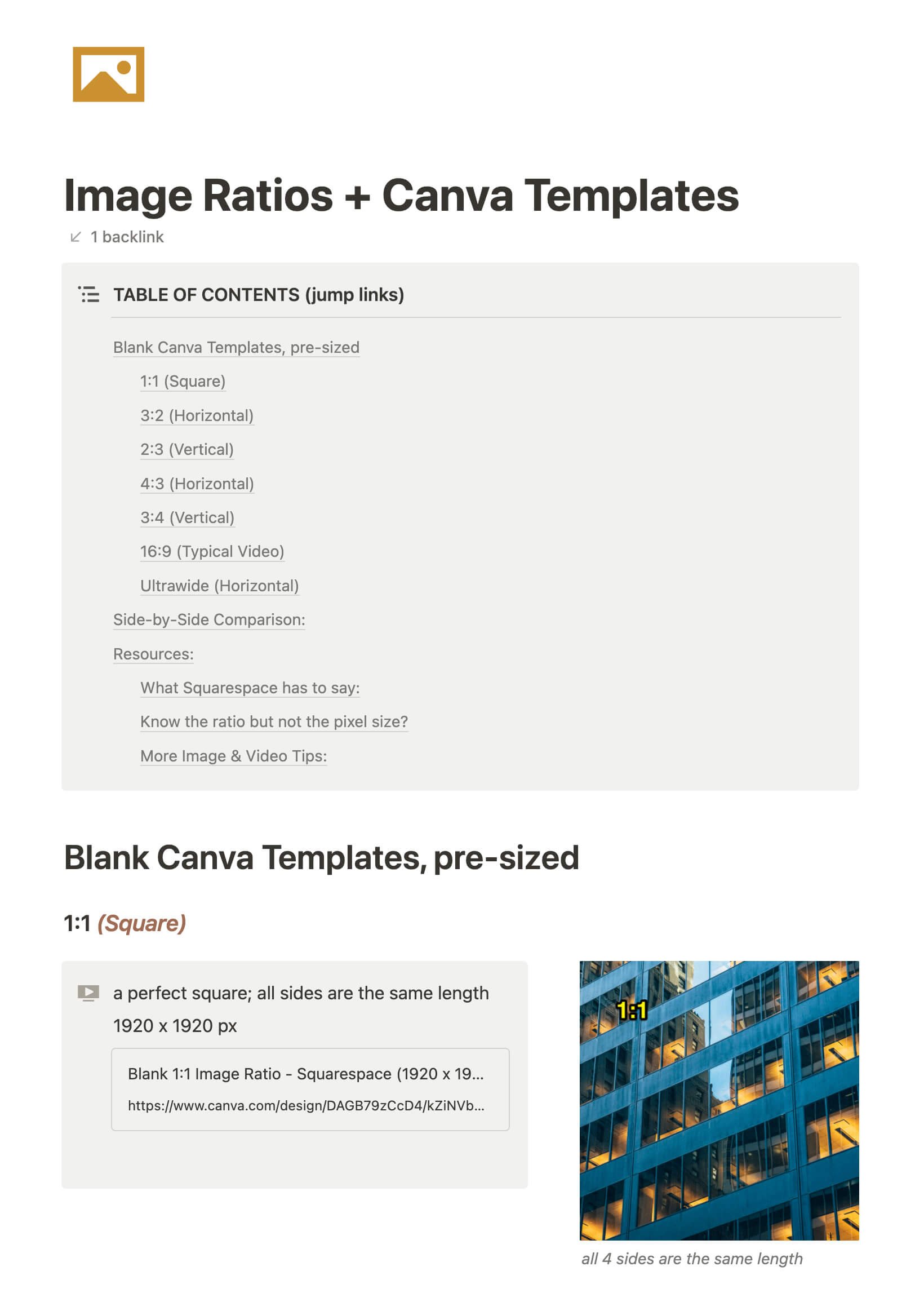
CHEATSHEET & TEMPLATES
File & format terminologies & size ranges, resource lists, and pre-sized blank Canva templates for various image ratios.

Working from home: Everything you need to know
The world’s flipped upside down during this global pandemic, and I know a LOT of people are suddenly working from home.
Maybe you’re asking yourself questions like:
How do I do this? My dog/kids/significant other keep interrupting me; how do I stay productive? What apps could make this easier? Are they free or paid? Do they work on my Mac/PC? How do I stay organized? What if I need to ask a coworker a question; do I have to email them & wait? Surely I don’t have to use my personal cell phone to communicate via text or phone call. HALP.
I get it. I was in your shoes once, many moons ago.
About 10 years ago, I was working in an office in Georgia (US) while my my then-fiance went out west to attend college in the mountains of Wyoming (US). He came home for summer break and proposed! About a year or so later we decided we didn’t want to wait the additional two years that I had remaining to graduate, so we bumped up the wedding and I decided I’d move out to Wyoming with him and finish college there.
That meant I was “quitting” my job, but when I told my boss that I was moving, just for shits and giggles, I gave him the option of keeping me around as a remote employee. I had no idea if they’d go for it, but since they seemed to like me a lot and I’d already been there over a year at that point, I was completely trained on everything. Plus, as a design student I already had the Mac & design software I needed to do the work at home anyway (because I hated being in the lab to work on homework 😆).
They went for it! So after we got there, got our internet hooked up and all that fun stuff, I began working from home. It was kind of a culture shock for me, never having worked at home before, but the office I’d been in only had 2-3 people in our small branch, so after I got used to a routine it really didn’t feel all that different. The General Manager was an old, friendly Grandpa type, near retirement; he and I had always gotten along really well.
I ended up just signing into the iChat or whatever it was called at the time & video chatted with him while I worked, for a few hours a day. It helped me feel less like I was the only human being in the world during the workday, –because even introverts can feel that way, eventually– and it let me ask him questions as I needed to without phoning in.
BUT there’s a better way!
Since I started doing freelance work, I’ve tried a TON of apps, soooo many different processes and found what works for me. Not only with my own long distance clients, but also implemented some of what I was learning at my 9-5!
These are my top tips for staying productive while you work from home.

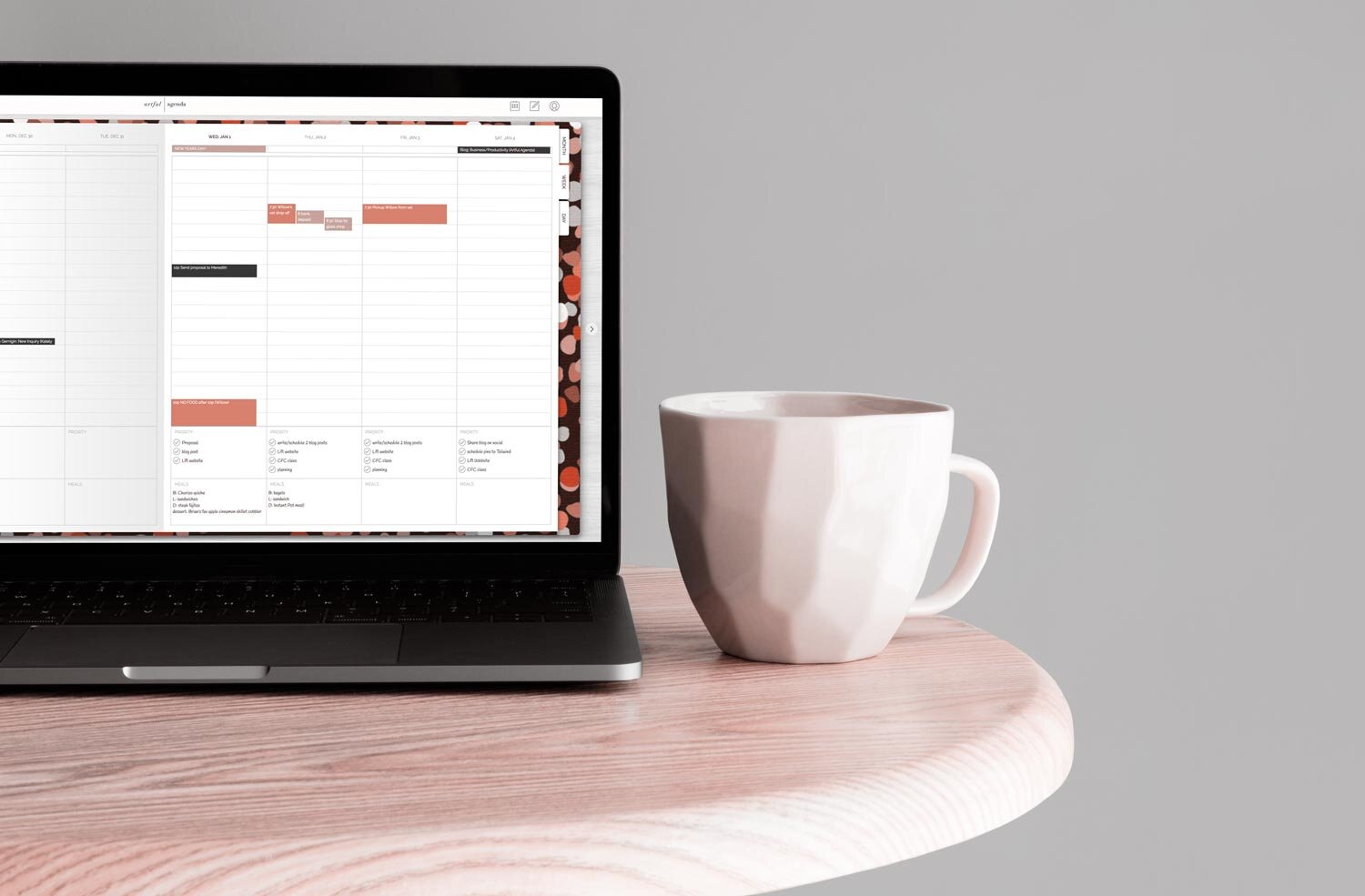

How to get device screenshots for digital mockups
Are you manually taking a screenshot from your tablet/phone/laptop/desktop to get these kinds of screenshots? Are you piecing together multiple pages yourself to get the full page? 🤦🏼♀️
There’s a much better way, thankfully. It’s not hard, or lengthy, or terribly complicated, so let’s walk through it.

Why I switched to FloDesk from MailerLite
I’m a solopreneur & that means it’s just me around here. I don’t have a VA or any other team members, so it’s a do-it-all-myself kind of routine around here, which I actually don’t mind, for now.
That being the case, I write the blogs, I schedule the emails, I write & schedule social posts, I update the website, I do all my own graphics, I do all of my client work, etc. etc. etc.
For my newsletter, I started (back in 2016) with ConvertKit. While I could plainly see how robust it is, it was WAY more juice than I needed with just 12 people on my list. 😂
So I switched to MailerLite, which I used for free until early 2019 when they changed their pricing structure. I built my list with MailerLite, and I do still like their platform, …but it was just lacking some design-y features I wanted.
Cue FloDesk. Y’all. It is effin’ gorgeous!
Easy to use. Simple, clean UI and the site is mobile friendly too! I tried it out with the free trial and liked it, even though it’s missing a few things MailerLite does, but FloDesk is still in Beta. So it’s new & it’s still evolving, which I actually like.
Then I found a coupon for 50% off and I decided to jump in, head first. Why? Let’s dive in!

15 reasons I'm obsessed with this email app!
We all hate that little number icon on our email. Whether you stress about getting to inbox 0 or ignore that growing number as you only check the emails that feel relevant to you, there’s a better way!
Imagine having control over your inbox again and removing that pesky number badge on your email app that may be causing you stress.
Wouldn’t it be nice if you could be reminded of emails you CANNOT forget about, schedule emails to send later, delegate emails to team members, setup canned emails, manage multiple email accounts and more, all in one place? For FREE!
Then PLEASE keep reading, because I cannot wait to share this with you!
*There are NO affiliate links in this post!

Comparing: ClickUp, Asana, Trello, Zenkit, Airtable, Milanote & Quire
There are SO many Project Management tools out there that are worth a look, but which one is the right fit for YOU?
I’ve taken the time to break down the ones I’ve used & organize them into feature lists so you can search for what you need and see which apps offer those things.
Now, let’s see which app is the right fit for your productivity needs!

Client Relationship Management vs. Project Management tools
As a business newb (or even a business pro), you’ve probably heard other entrepreneurs tossing around phrases like “client management” or acronyms like “CRM” or “PM” and you might not have any idea what they mean.
Maybe you bought something like Dubsado or Honeybook and now you’re confused because you don’t understand why people are also using a PM/Project Management tool –and how do they integrate? Why do you need both?

9 tips for giving designers better feedback
I think when people hear the word "designer" they sometimes think of one (or several) of these descriptors: nerd, techie, IT person, hard to communicate with, quiet, introvert, not personable, weird, unorthodox, etc.
While some of those things may be true, the main purpose of today's blog is to provide tips on how to communicate effectively with your designer, despite the personality differences that may exist.

7 apps to boost your business productivity
If you’re new to the entrepreneurial world, then you might be kiiiiinda sorta flyin’ by the seat of your pants. Yeah?
You never went to business or marketing or even design school, so you’re probably a little overwhelmed with your business.
I totally get it. When I first started, I had about 10 years of print design experience and some light freelancing experience under my belt, plus my college design education, which in no way prepared me to run a business of any magnitude. Back then freelancing just meant we agreed (verbally or written in an email) on a price, I did the work and they sent me a check. No written invoice, no contract. YIKES.
Don’t be that person! Let’s get you started with a few apps I wish I’d been using right out of the gate.

17 must-have Chrome Extensions for designers
I’m a Mac user and will likely be one for the foreseeable future. Their interface makes more sense to my creative brain; the clean lines & simplicity just mesh better with me all around. Plus I “grew up” with it being the standard machine used for the design industry, which is also what my formal education is based on.
That being said, I have the choice of using Safari, Firefox, Opera or Chrome, and I’m sure there are some others I don’t know exist, but I choose to use Chrome because of all the available extensions! Let’s dive into that list now!

11 podcasts for Female Entrepreneurs
I admit it. I've never been a podcast listener, until 2018.
To the point that podcasts weren't even on my radar; like they didn't exist at all. When I'd hear something like, "subscribe to my podcast," I'd roll my eyes and think 'pshhh, like I need something else to keep up with.'
Turns out I was wrong. I started listening to one, and I loved it so much that I went looking for more to add to my library, and I loved those too, so I went looking for even more. Now I subscribe to 50+ different podcasts, and I listen to all of them fairly regularly, some more often than others.
There's nothing to "keep up with" as it turns out, these podcasts are a little like books; you can pick them up and stop whenever you want. They're always available whenever you have free time to listen and many of them are not chronological.
Today I'm listing my favorite business podcasts that every female entrepreneur (or small business owner) should be listening to + 8 new ones I’ve found since my original posting!

5 habits that will improve your productivity
Entrepreneurs wear so many different hats, it can be utterly exhausting; even if the work itself is still rewarding. Okay, that was the bad news.
The good news is that today I'm sharing 5 habits that will help you work more efficiently and be more productive with your time.

What to expect during a large design project
You probably have a vague idea of what type of design services you need, and maybe you even know who you want to work with. But maybe you have no idea how much (if any) work you’ll need to put in or how much it’d cost to hire the help.
That goes for pretty much anything in the service industry, right? But there’s Angie’s List & HomeAdvisor for those kinds of professionals. So where do you go to find out more about design services? (Please don’t say Fiverr or Upwork. 😄)
That being the case, whether you have/haven’t worked with a graphic designer before, I’d be willing to bet you’re not sure what to expect, especially in a remote work or freelance situation.
It can be scary to hand over your trust & money to a stranger you’ve never met in person & don’t know. Right? I totally get that!
Because I know that there are a lot of you out there who have no idea what to expect, I’m gonna share my process since basically it’s industry standard.

General Data Protection Regulation + tips for compliance
This legal stuff is pretty boring, so I'm going to make this as simple as I can so you don't fall asleep on me!
I've gotten a lot of questions about who needs to be compliant, and while I don't have all the answers (I'm certainly not an attorney, so I'm not giving you legal advice here), I do have some helpful info, suggestions, and resources to share with you that will help you figure it out.

How to build your free resource library in Squarespace
My own Free Resource Library has evolved a lot since I initially set it up. It was password protected for most of that time and I never really felt right about that.
I don't know about you, but I like to see the resources before I decide to sign up & grab one; ya know? (Confession! I'm on SO MANY lists! 😂)
So I decided to open it up to everyone. That meant no more password!
But how do those freebies still work as opt-ins, if the page isn't password protected anymore?
It’s a valid question, to be sure.
I'll walk ya through how to set up your own Free Resource Library on Squarespace that will still work as opt-ins, but without the pesky password protected page.

7 ways to use Trello (& other PM tools!)
The first organization tool I ever heard about was Asana, and while I like what Asana can do, the way it worked just didn't mesh with how my brain functions. And as we all know, if we don't like how something works then we're probably not going to use it.
I wanted a more visual way to organize things. Then I was introduced to Trello, but I wasn't really sure what to do with it, or how I could use it. I set it aside to come back to later, and for months I completely forgot it existed.
Then finally, I ran across a mention of it in Think Creative Collective's Facebook group, or maybe it was their blurb about their online course for Trello during their podcast. No, I'm not an affiliate, but that super cheap course was worth. every. penny (& probably more).
Once I dug in, I found all sorts of fun ways to use Trello both for business & for home, so today I'm sharing 7 ways you can use Trello too!

Using Acuity with Squarespace
If you've been following along for the last several months, then you probably already know I use Dubsado for my business. In fact, I'm kind of obsessed with it!
Dubsado has an online scheduler now, but I still haven’t gotten around to setting it up and since it's not ready yet, I’m still using Acuity because it integrates well with Squarespace and it also has a lot of features, like the ability to take a payment when a client makes certain types of appointments.
Acuity has a free plan, but it allows limited customization among other limitations. At first that was fine, but eventually I wanted the features that the paid plans offer.

35 of my favorite books for entrepreneurs
I love to read, and because I don't have much time for my favorite hobby, I also love to listen to audiobooks. Gotta get my fix in somehow!
I don't love listening to self-help/nonfiction though, or at least I used to find the idea abhorrent. The idea of listening to someone talk on and on about how to "up your game," or become "more focused," ...blah, blah, blah... could have easily been a form of punishment for me.
That is, until I read a couple of business books (of my own free will, I might add!) this past fall. (I got sucked in, okay?!) They opened my eyes to a whole new genre which I can actually tolerate, as it turns out, and some of which I really (REALLY) enjoyed reading/listening to.
So, as with most things I get excited about, I dove in head first and created a list of books I want to read in this genre. And since I went to all that effort, I figured I should share the wealth of knowledge with you too!

Use Trello to Save Your Bookmarks
A few years ago my old laptop was running a little slower than I wanted, so I backed up everything onto an external hard drive, uninstalled & removed all my software, and wiped my computer. Started over, fresh.
It was a lot of work, but that made things so much better. I reinstalled the operating system, put most of my files and software back onto my computer, and I was ready to move on.
I opened my internet browser and realized I had never backed up my bookmarks!! Who would remember to do that? I hope you would, but for whatever reason, I didn't even think about it, even though I tediously went through the entire contents of my laptop to make sure I had everything else, including old emails.
I had a few years worth of bookmarks saved, before I wiped my computer. I frantically logged into my Firefox account, and then Chrome... but they weren't there. I hadn't turned on the native backup so they'd be stored in my account. CRAP.
Months later, after building up important bookmarks again (and this time they are backed up) that major loss of info from before led me to also put my bookmarks in a new location. One that I can access anywhere, any time, from any device.
That's why I chose to use Trello to save my browser bookmarks.
PLUS: grab a copy of my Bookmarks Trello Board, and add it to your own Trello account! Includes all the lists, cards, links, and more!
Katelyn, here!
I’m the Founder, Owner, CEO, Designer & Educator at Launch the Damn Thing® and I love coffee, cursing & carefully laid plans. 😂 (Also reading, blaring loud music, and teaching, –but those didn’t fit into my nice alliteration!)

Did I just totally make your day? #goals
