

The Blog
Squarespace Tips & Client Systems for Web Designers & Service Providers
Detailed tutorials, shared client systems, pricing tips, and tool reviews for solo service providers and web designers who want less hustle &/or overwhelm.










FREE AI TOOL FOR DESIGNERS
An AI tool that helps you handle the hard messages
The Client Whisperer is a free AI writing tool trained to help you handle the messages you dread most—even the confusing ones you're not sure how to respond to—while still holding your boundaries, aaaaand not being unkind. 🥴
Works in Claude (free or paid), ChatGPT (free or paid). Step-by-step instructions are included for each!

Working from home: Everything you need to know
The world’s flipped upside down during this global pandemic, and I know a LOT of people are suddenly working from home.
Maybe you’re asking yourself questions like:
How do I do this? My dog/kids/significant other keep interrupting me; how do I stay productive? What apps could make this easier? Are they free or paid? Do they work on my Mac/PC? How do I stay organized? What if I need to ask a coworker a question; do I have to email them & wait? Surely I don’t have to use my personal cell phone to communicate via text or phone call. HALP.
I get it. I was in your shoes once, many moons ago.
About 10 years ago, I was working in an office in Georgia (US) while my my then-fiance went out west to attend college in the mountains of Wyoming (US). He came home for summer break and proposed! About a year or so later we decided we didn’t want to wait the additional two years that I had remaining to graduate, so we bumped up the wedding and I decided I’d move out to Wyoming with him and finish college there.
That meant I was “quitting” my job, but when I told my boss that I was moving, just for shits and giggles, I gave him the option of keeping me around as a remote employee. I had no idea if they’d go for it, but since they seemed to like me a lot and I’d already been there over a year at that point, I was completely trained on everything. Plus, as a design student I already had the Mac & design software I needed to do the work at home anyway (because I hated being in the lab to work on homework 😆).
They went for it! So after we got there, got our internet hooked up and all that fun stuff, I began working from home. It was kind of a culture shock for me, never having worked at home before, but the office I’d been in only had 2-3 people in our small branch, so after I got used to a routine it really didn’t feel all that different. The General Manager was an old, friendly Grandpa type, near retirement; he and I had always gotten along really well.
I ended up just signing into the iChat or whatever it was called at the time & video chatted with him while I worked, for a few hours a day. It helped me feel less like I was the only human being in the world during the workday, –because even introverts can feel that way, eventually– and it let me ask him questions as I needed to without phoning in.
BUT there’s a better way!
Since I started doing freelance work, I’ve tried a TON of apps, soooo many different processes and found what works for me. Not only with my own long distance clients, but also implemented some of what I was learning at my 9-5!
These are my top tips for staying productive while you work from home.














CHEATSHEET & TEMPLATES
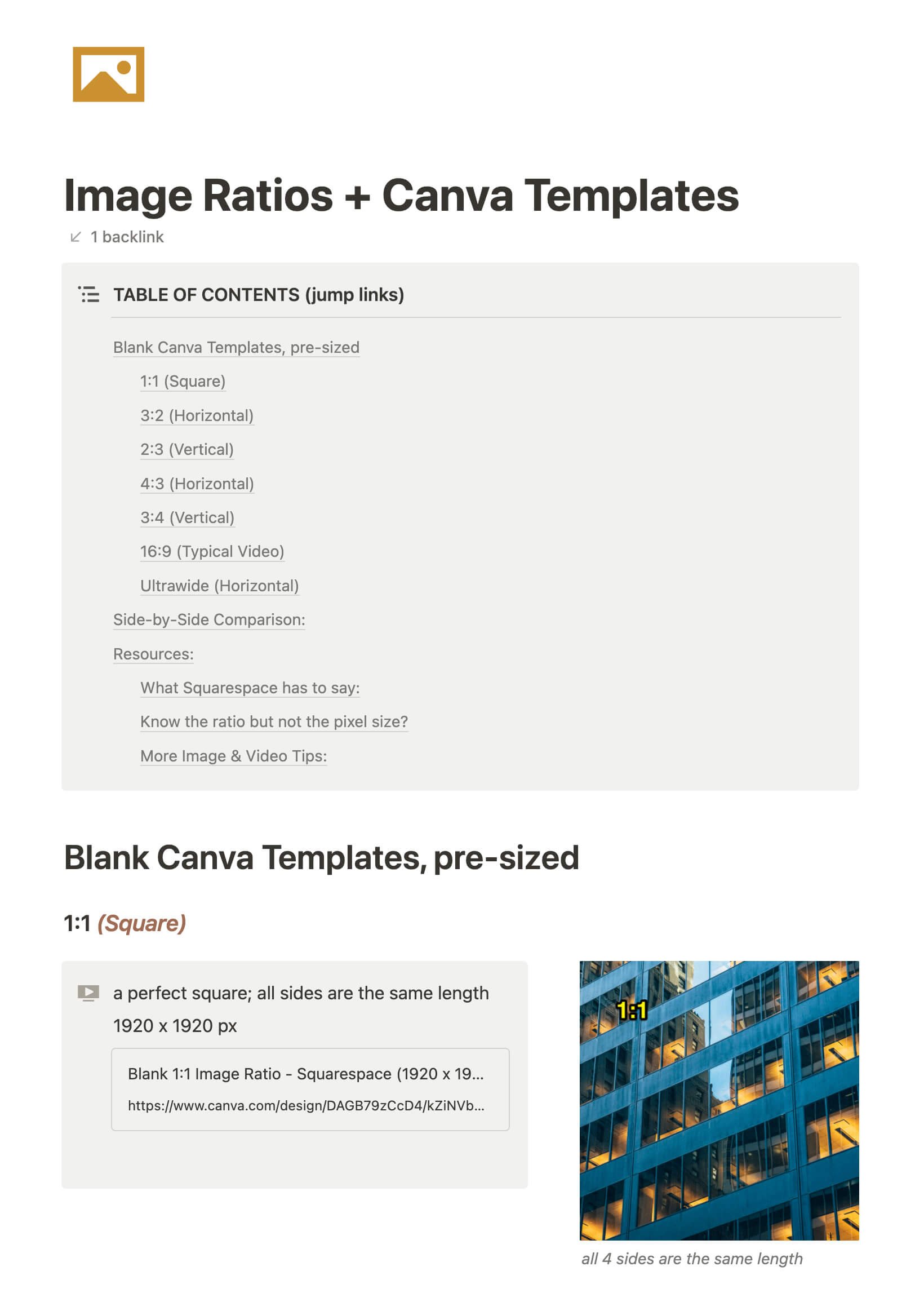
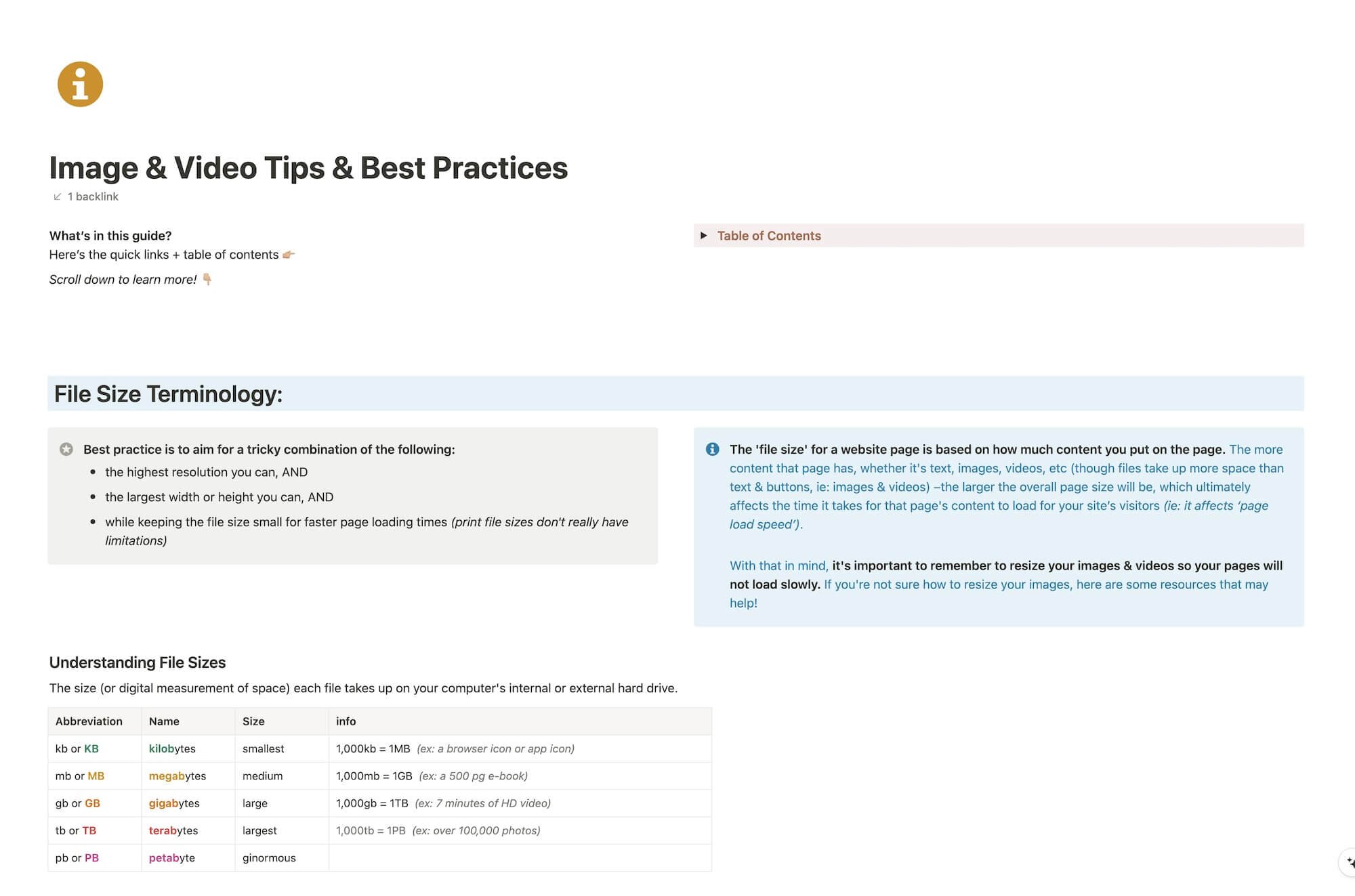
File & format terminologies & size ranges, resource lists, and pre-sized blank Canva templates for various image ratios.
Katelyn, here!
I’m the Founder, Owner, CEO, Designer & Educator at Launch the Damn Thing® and I love coffee, cursing & carefully laid plans. 😂 (Also reading, blaring loud music, and teaching, –but those didn’t fit into my nice alliteration!)

Did I just totally make your day? #goals
